Track platform emails sent from all Apps in a centralised Email Tracker App

Track Email Workflows Across Your Portal Apps
We’re eager to share an approach for tracking every email sent through your Portal’s workflow engine so all emails sent are tracked in one central place!
Why Email Tracking?
When multiple Apps in your Portal send automated emails, it can be difficult to see what was sent, when it was sent, and to whom. By creating a dedicated Email Tracking App, you can log every outgoing message and give your team a clear audit trail.
How It Works
Your Portal’s workflow engine already includes:
- A Send Email node – this sends the actual email.
- A Create Record node – this allows you to write data into another App.
By pairing these two nodes together in any workflow that sends an email, you can automatically create an entry in the Email Tracking App for each email that goes out.
The Email Tracking App
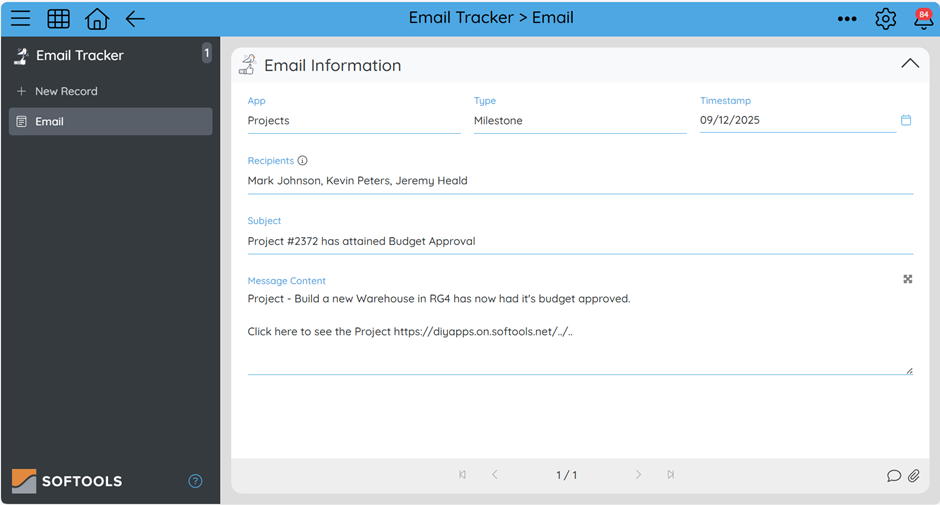
In this App, each record represents a single email event. You can customise the fields based on what your teams need, but a typical setup includes:
-
Recipient(s) – Text field
Store who the email was sent to. This can include one or multiple email addresses. -
Message Content – Long Text field
Capture the body of the email. This helps you review exactly what was sent. - Subject – Text field (optional but recommended)
-
Timestamp – Date/Time field
Automatically log when the email action occurred. -
Triggering App / Workflow – Reference or Text field
Useful if multiple Apps send emails and you want to trace the source.
Putting It All Together
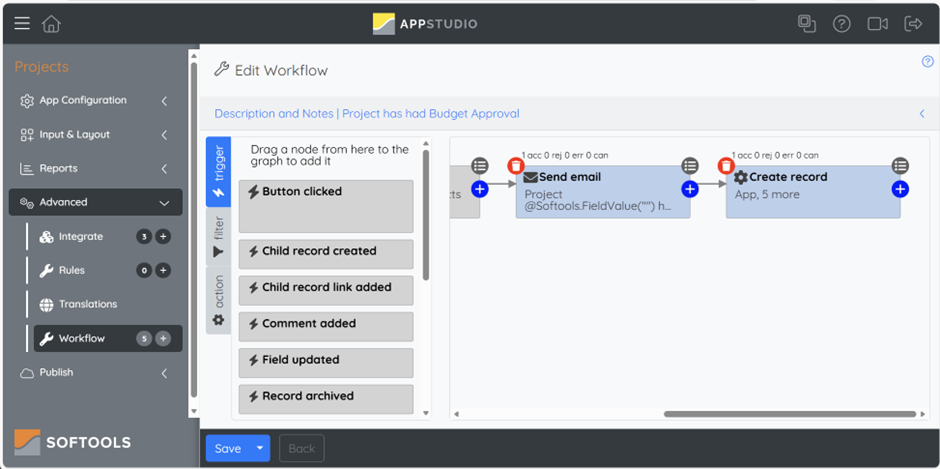
In any workflow across your Portal that sends an email:
- Use the Send Email node to deliver the message.
- Immediately follow it with the Create Record node, pointing to the Email Tracking App.
- Map the fields by using expressions to build the following including:
- To → Recipient(s)
- Email body → Message Content
- Subject → Subject field
- dateNow() → Timestamp
Now every automated email will have a matching record stored in your Email Tracking App
Simple, Consistent, and Searchable.
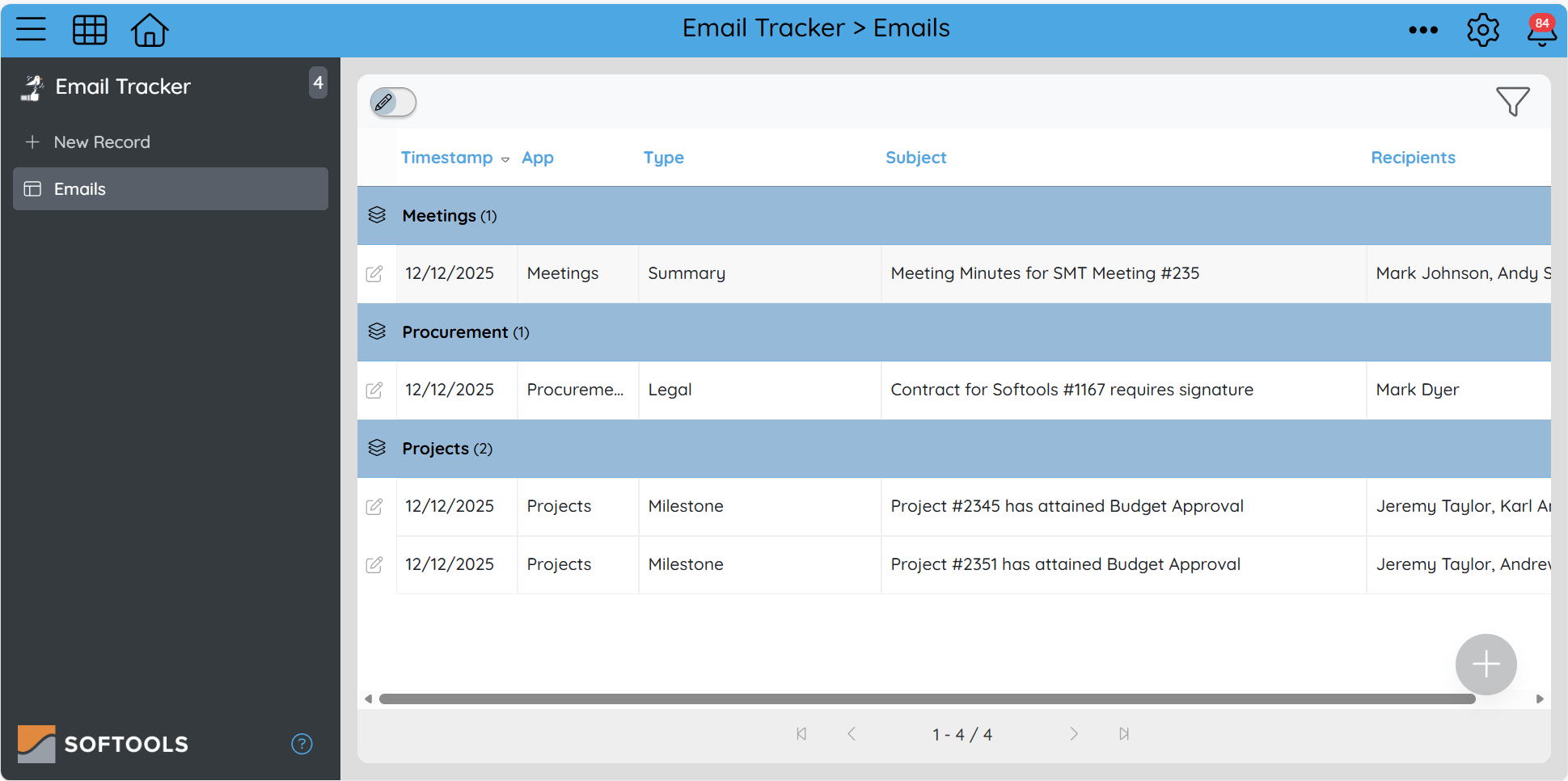
Benefits
- Centralised email activity history
- Better visibility for support and QA
- Easy auditing across all Apps
- More consistent troubleshooting when users ask, “Did the system send that email?”
Please sign in to leave a comment.
Comments
0 comments