Targets Relative to Date

In this post, I will be showing you how to set different target goals for different time periods. This is useful in cases where you had a target of 75% in 2019 for all your assessment completions but in 2020 that was upped to 80%. You could just change the target to 80 for next year but if any older records with the older target get updated after that will be compared to the new target instead of the old one they should be compared to.
if(isValidDate([Date]), if(year([Date]) < 2020, 75, 80), 0)
The expression above first checks that there is a valid date in the date field you are you basing the target off, if there isn't then it outputs zero as it doesn't not what year to base the target off, I would suggest making this field a required field. Next, it finds what year the date is in, then if that year is below 2020 the target is 75 else it therefor must be above 2020 and the target it 80
*Note I have also added a format {0:N0}% for a better visual output


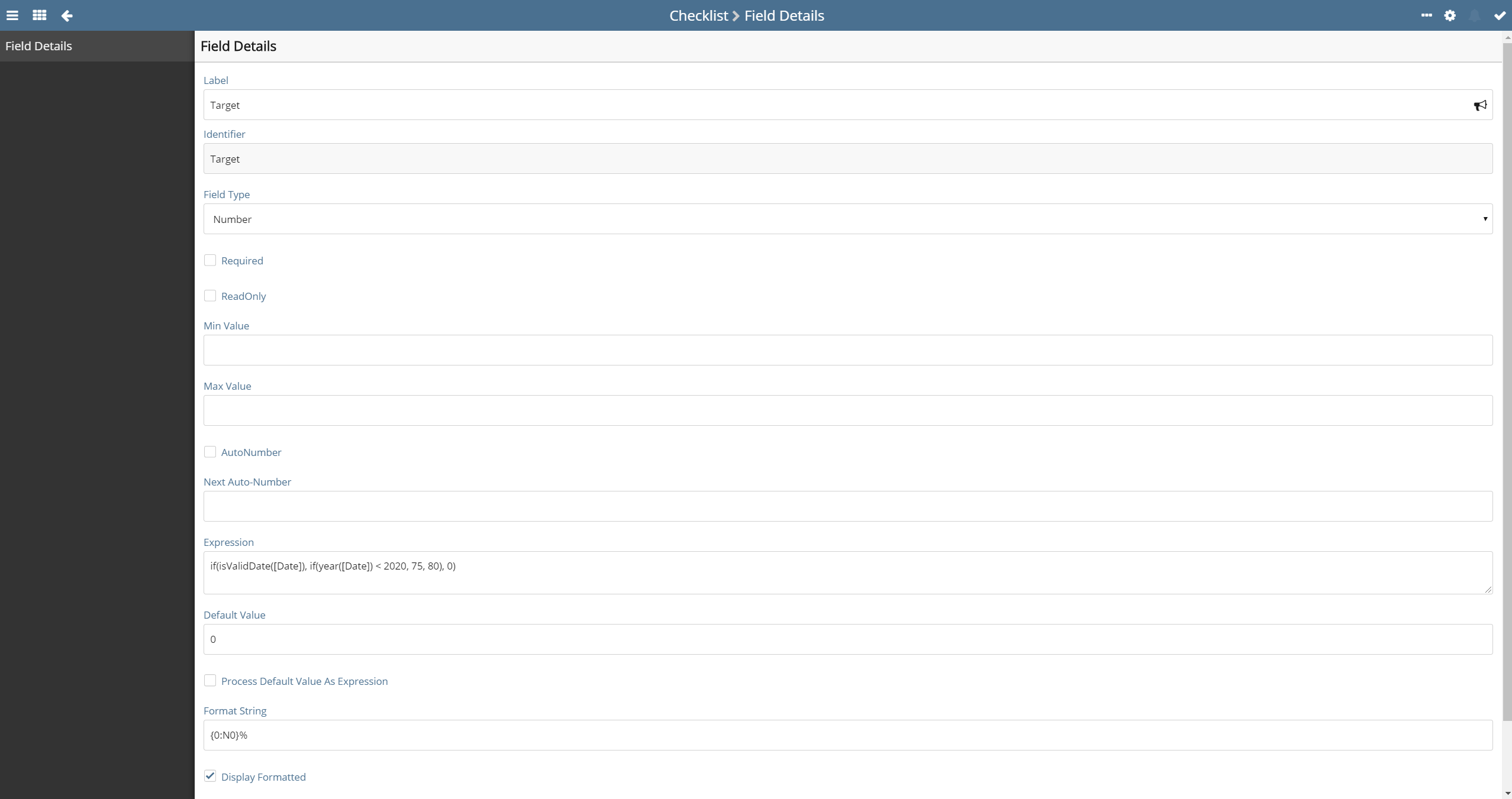
Off of this Target field, you can then create more, for example having a status field comparing the actual to the target:
if([Target]>[Actual], 'Red', 'Green)
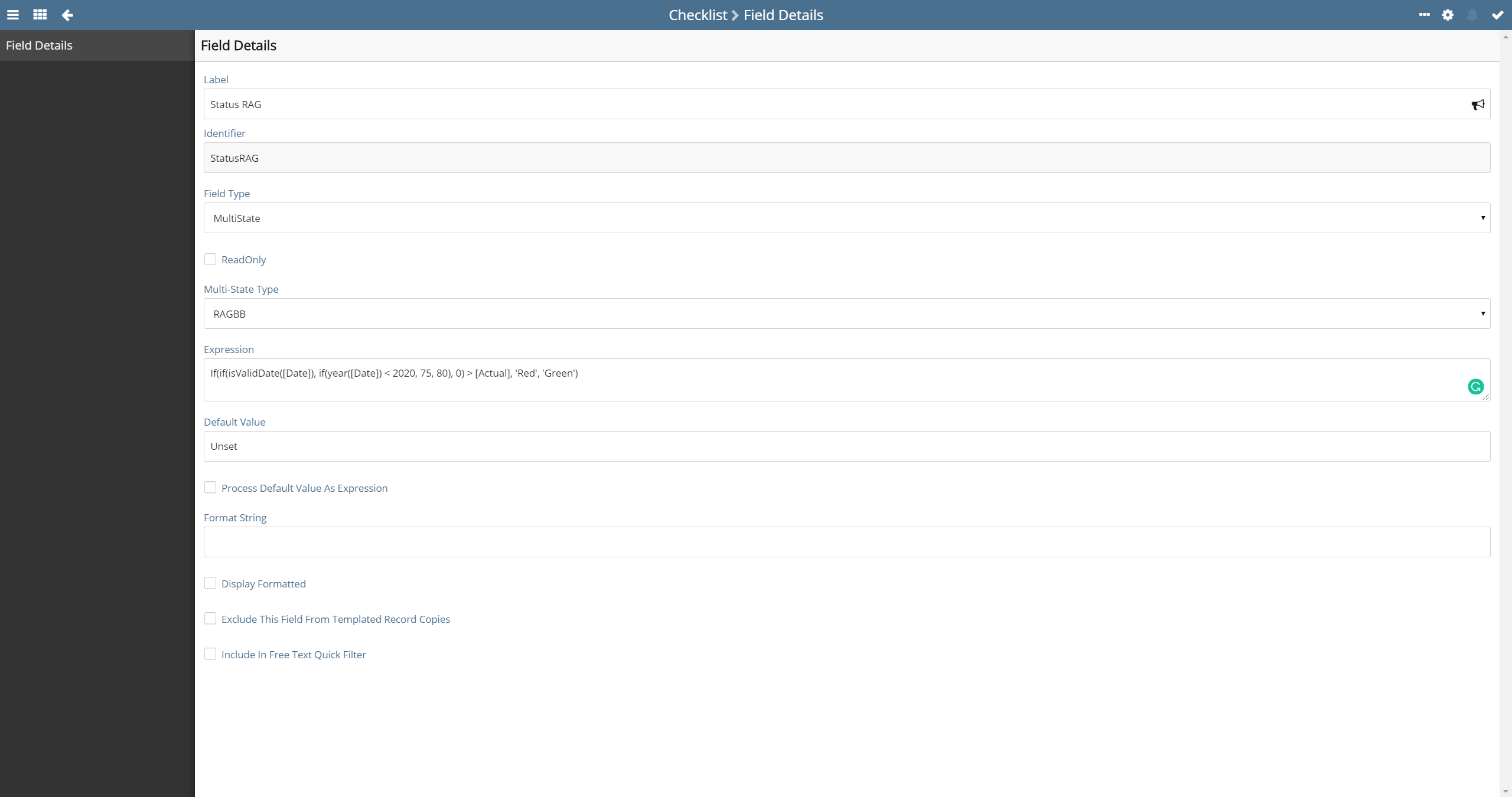
If you want to incorporate both fields into one you can use the expression below:
If(if(isValidDate([Date]), if(year([Date]) < 2020, 75, 80), 0) > [Actual], 'Red', 'Green')


Please sign in to leave a comment.
Comments
0 comments