Calculating Percentage

In this post, I'll be showing you how to calculate a percentage. This can be done to see audit scores and project completion.
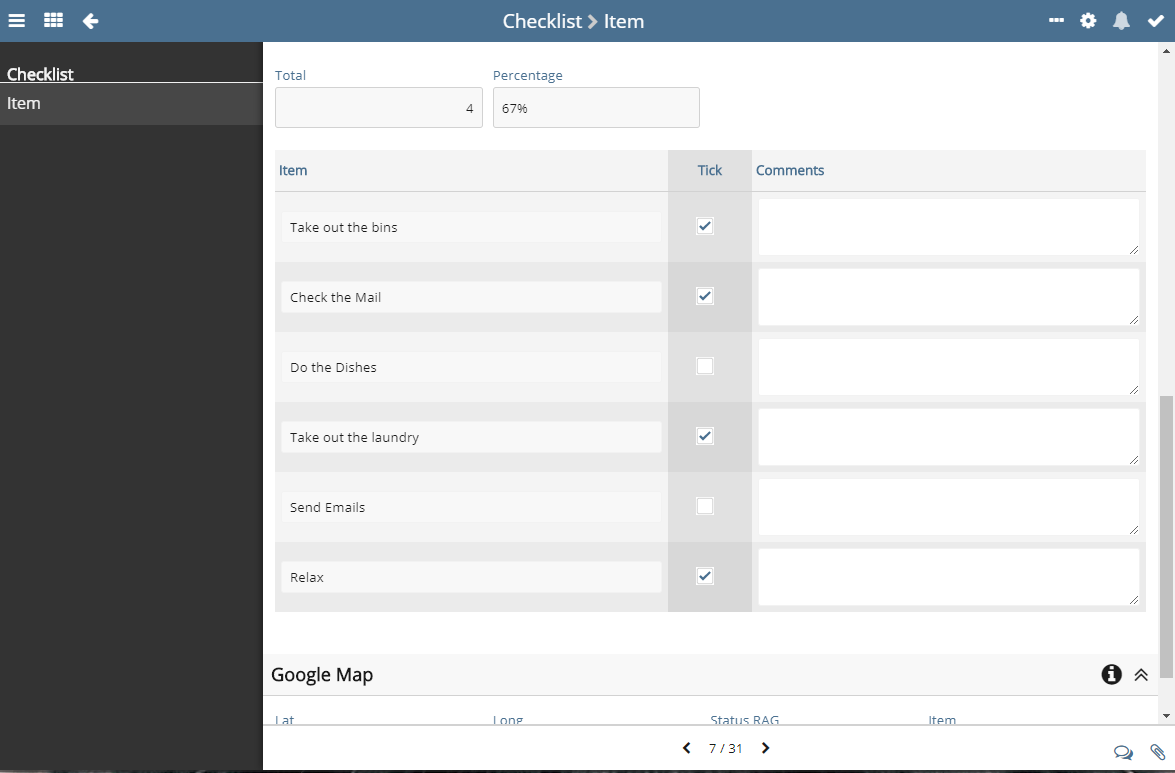
First, you will need a totals field, in my example, I will be working out the completion of a checklist I have. To see how I worked out the total of ticks please go to this post here - https://support.softools.net/hc/en-gb/community/posts/360009651538-Counting-Items
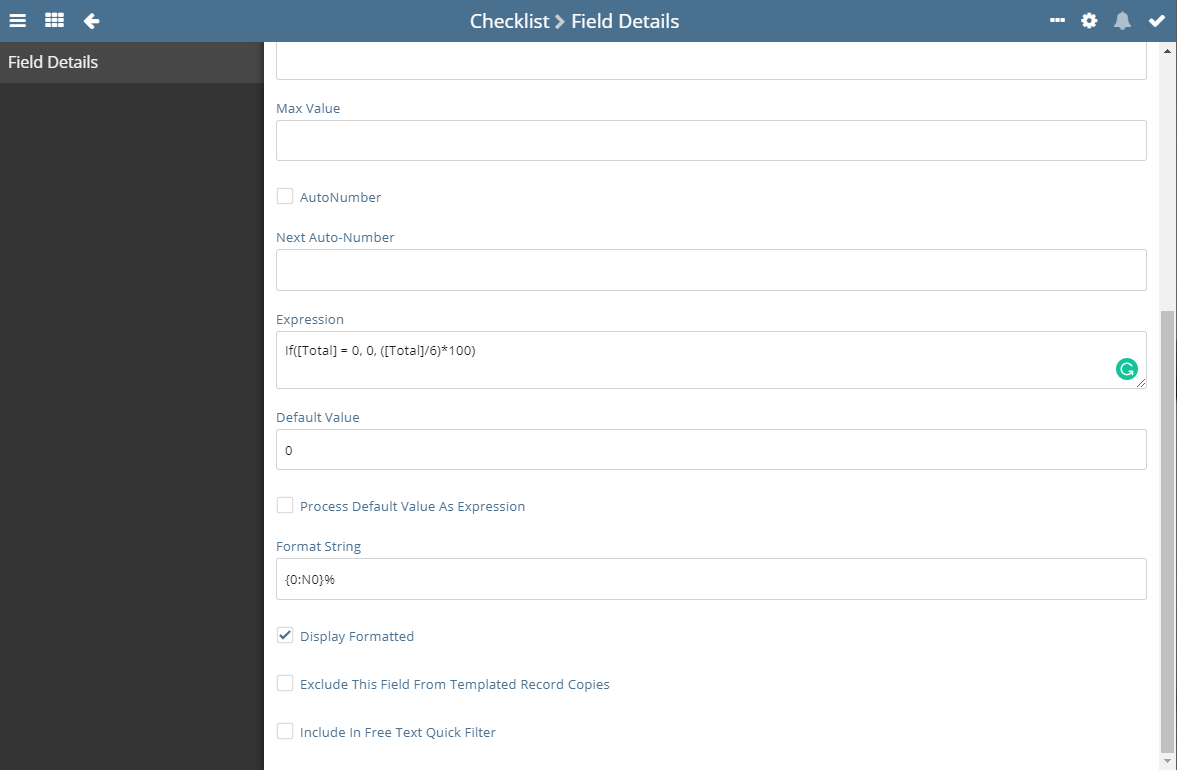
The expression you will need to use is: If([Total] = 0, 0, (6/[Total])*100)
This expression checks if the total ticks are 0 or not, if so if displays 0 as trying to divide zero by 6 is not possible and will break the expression, else if it's not zero it divides the total ticks by six which is the total number of check list items. It then multiplys this by 100 to give it as a percentage.
I would advise using this format string: {0:N0}% - as it will display it with the percentage sign at the end and round it to 0 decimal places. Example shown below
Note if you are trying to calculate a percentage from a child app checklist the expression will change to this: If([Total] = 0, 0, ([TotalItems]/[Total])*100) - the new [TotalItems] field being the count of records in the child
Please sign in to leave a comment.
Comments
0 comments