Filtering Child Text Aggregate

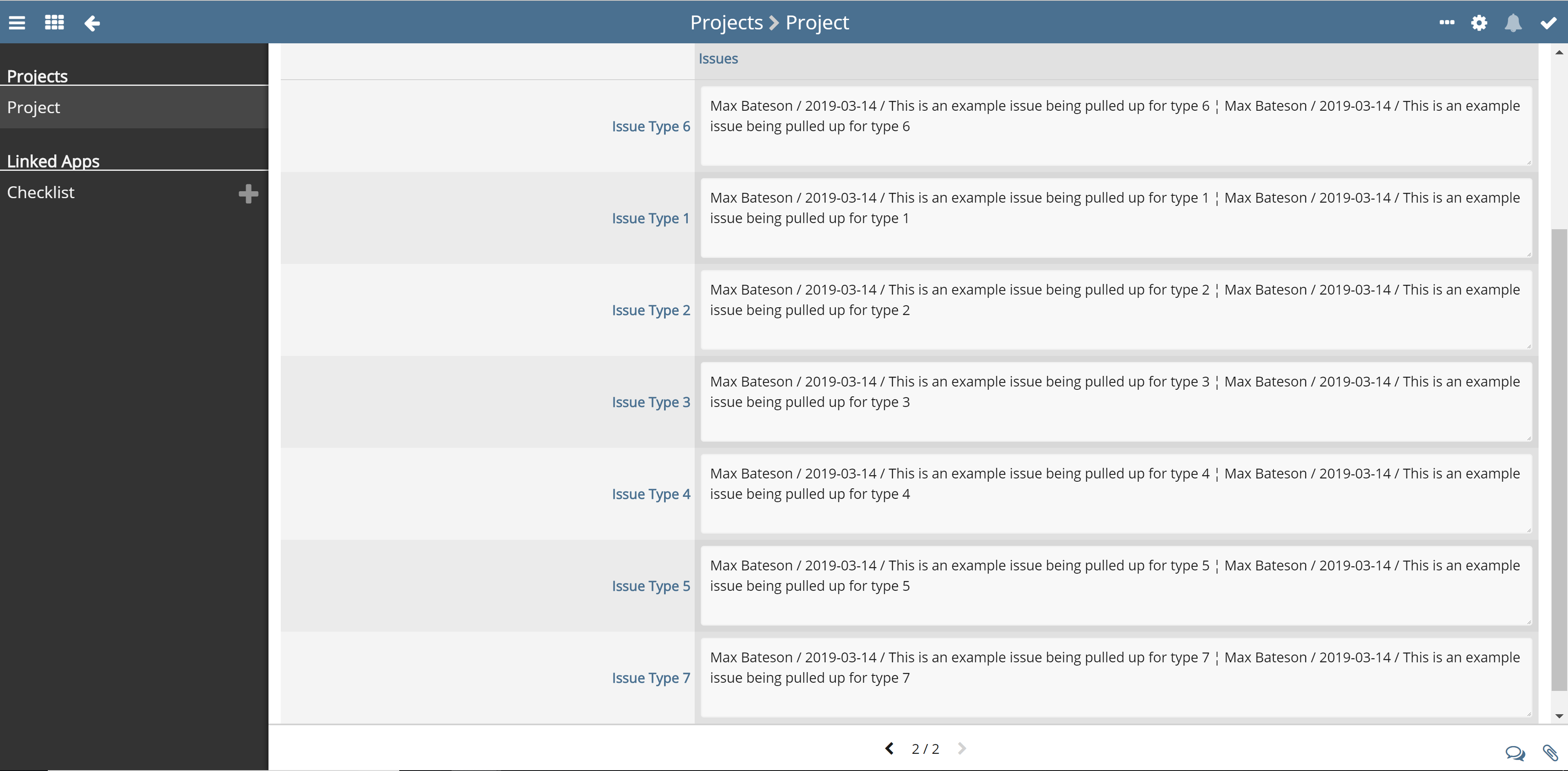
In this post im going to be showing you how to filter data from the child report up into the parent based off a value set in the record. My Example is going to be based off bringing up issues into a parent record filtered by the type of issue. You need three fields in the child app for this.
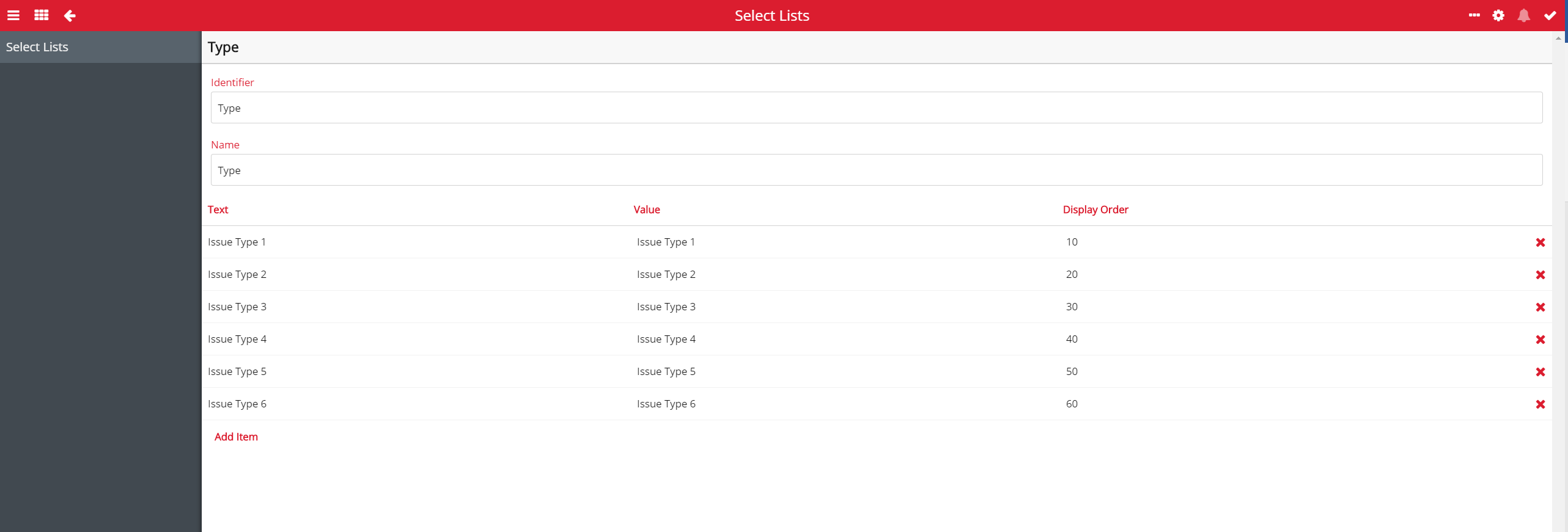
The first is the field that will be used to define the type of issue [Type], I would suggest making this a select list if you can, this way they can’t get enter in a value that won’t get aggregated up. If it is a text field and they make a mistake it won’t get pulled up.
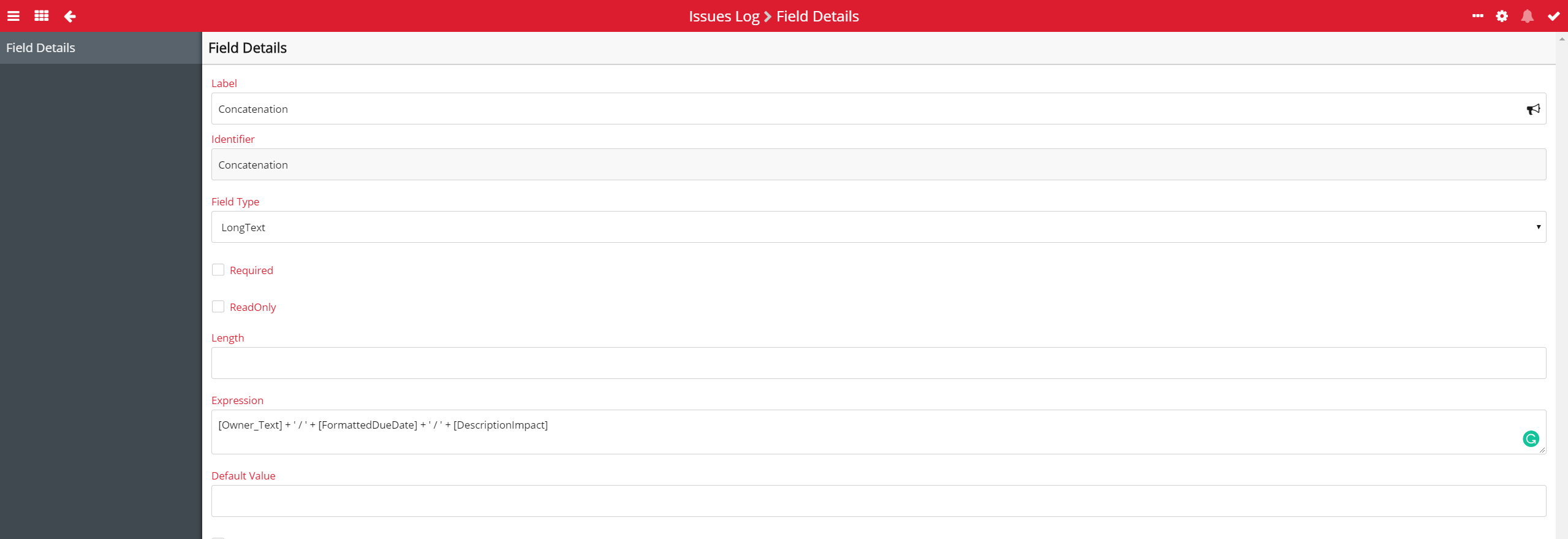
The next field will have the data you want to be pulled [Concatenation], I’ve concatenated a few fields to pull up more data: owner / due date / description.
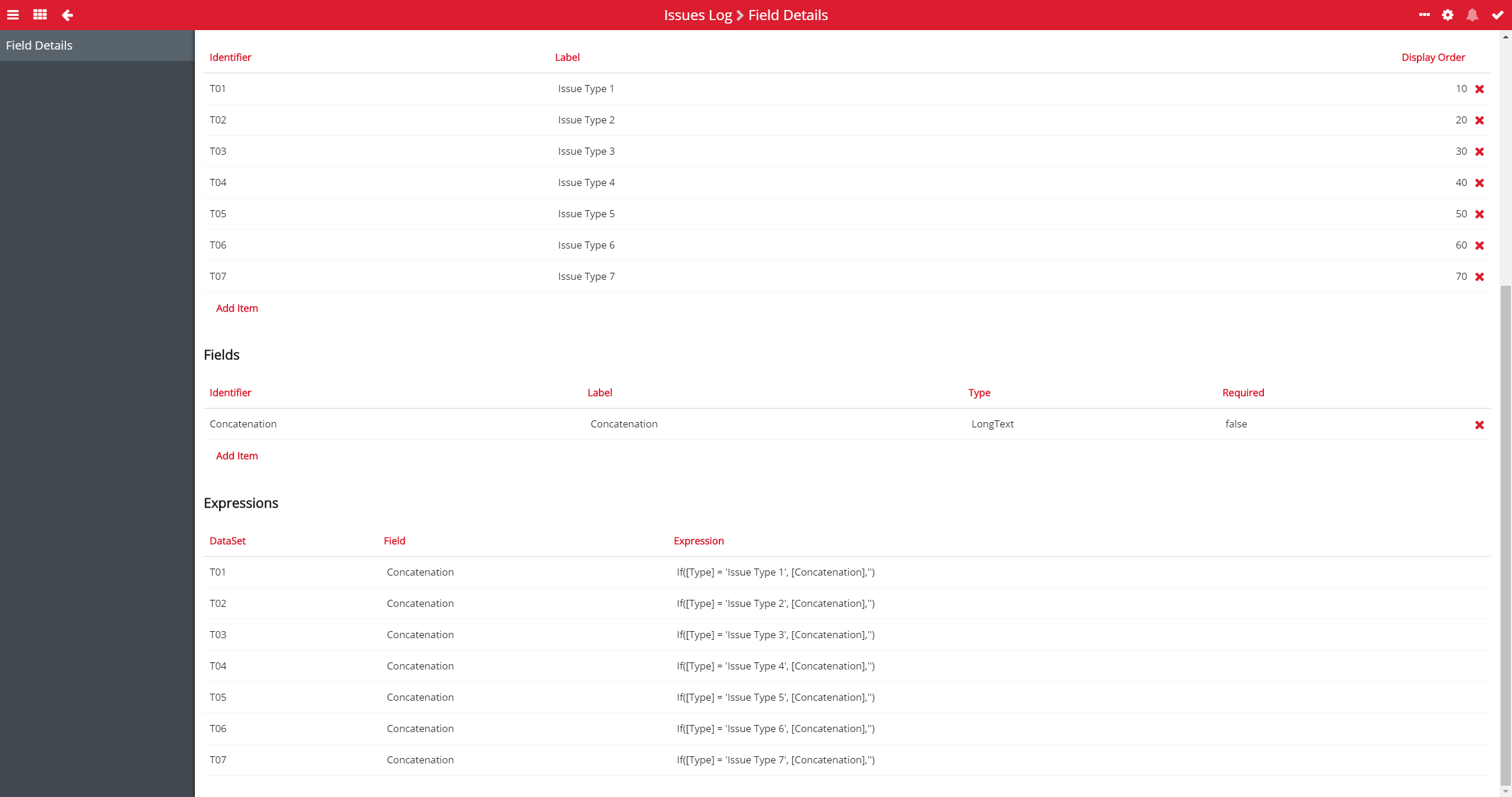
The last field is what will be filtering the data for aggregating [Filter], this needs to be a horizontal grid field, the number of datasets you want should match the number of different types of issue, I have 7 issue types so 7 data sets. Then one field that needs to be Long Text. Once these are in you need to enter in an expression - If([Type] = 'X', [Concatenation],'') incrementally down the list for each issue type. This expression is filtering the values from [Concatenation] into their respective grid field cell based on the [Type] ready to be pulled up to the parent.
Next is pulling this data up to the parent, all you need is one field it the parent that mirrors the grid field in the child app. It needs to be horizontal and you need the same amount of data types and fields. Then all you need to do is enter in the expression - childTextAggregate('IssuesLog', 'Filter_T0X_Concatenation', @"'\u0020 \u00A6 \n'") incrementally down the list. This will bring up all the values from the [Filter] field which has already been sorted. If you would like to know more about the child aggregate expression please go to this article - https://support.softools.net/hc/en-gb/articles/115002693471-Child-Parent-Expressions.
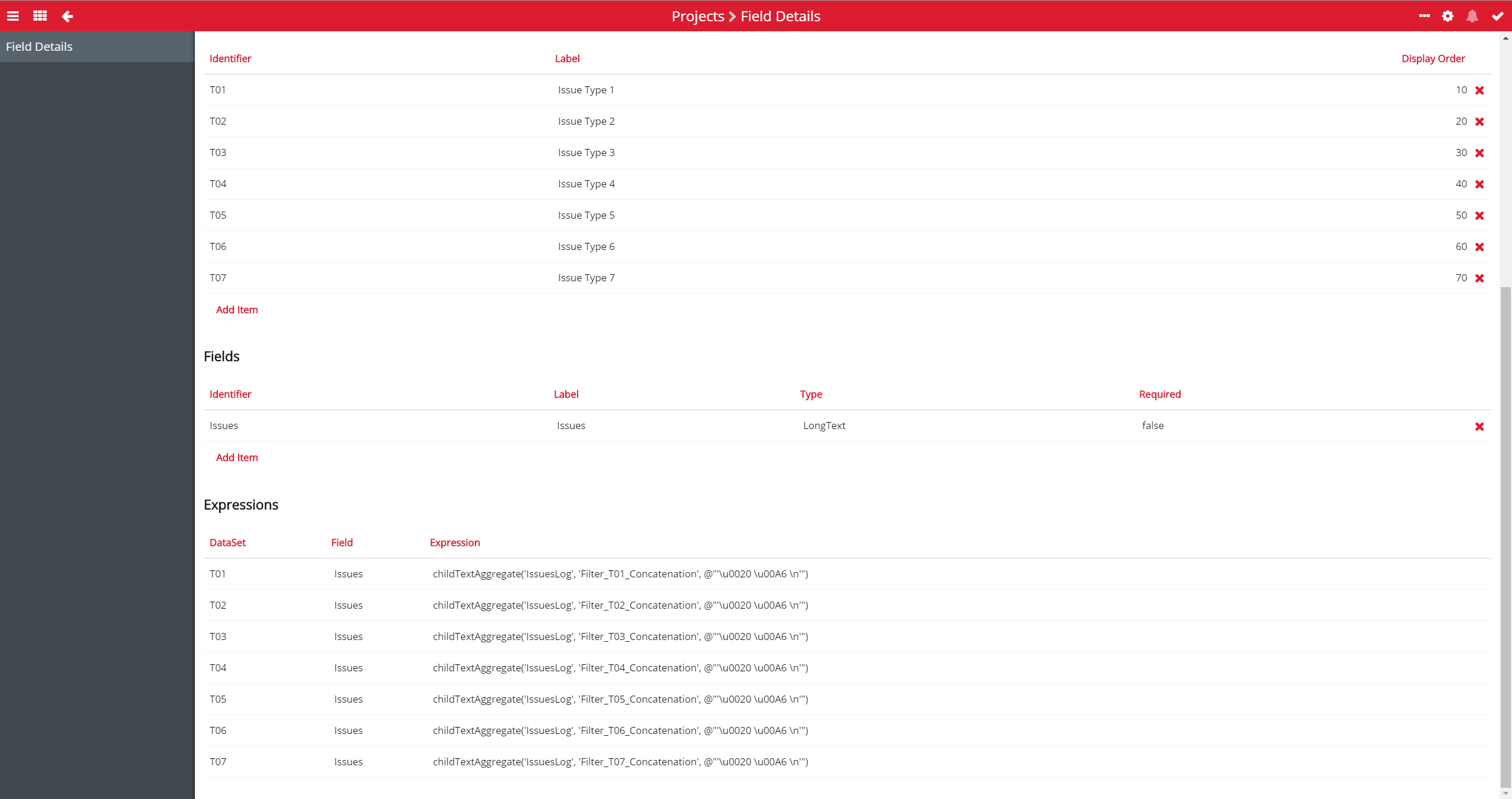
This is the basis for bringing up filtered child aggregate data, once done you can then build around it, adding what you want to the grid fields.
Please sign in to leave a comment.
Comments
0 comments