Read Only Option of a Form

This post will be showing you how to create a read-only form using the example of a client facing view using form visibility and workflow, this may be used in cases where you have a projects app that you want the client to have access to so they can see updates and progress, but you have the issue that you don't want them to be able to see some of the certain information in the record.
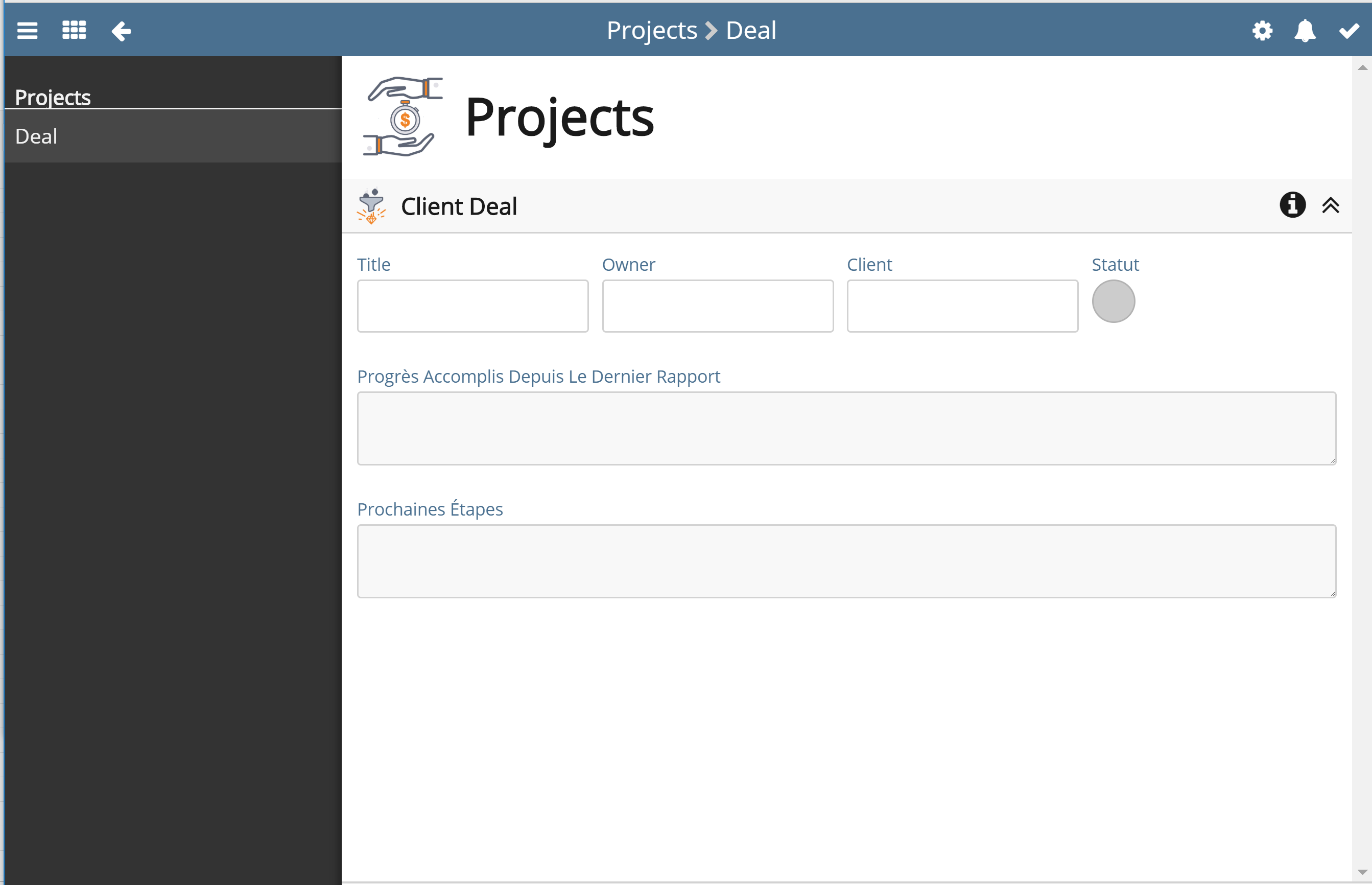
The first step is to identify the areas that you don't want them to see, once you have this you can create a new template without this information, then create a new form with this template, this will be your client facing form. 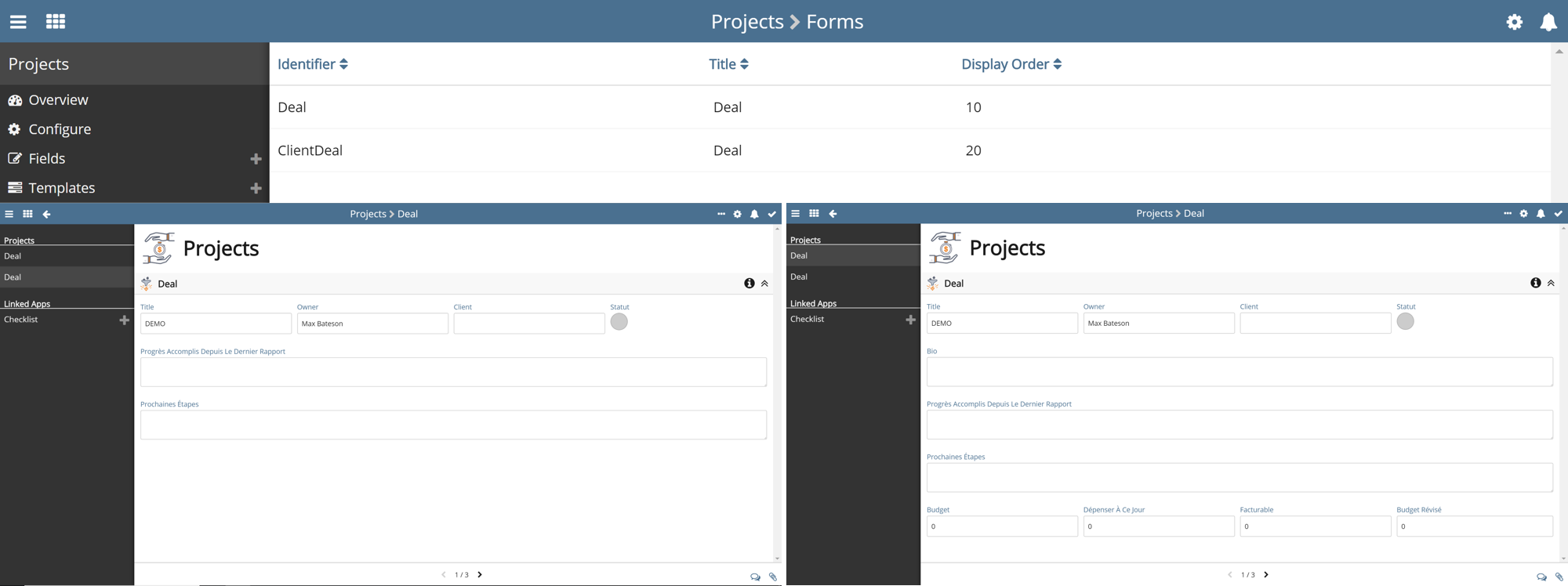
When trying to create a new client-facing app there are a few things you need to watch out for and make sure the data you are trying to hide isn't still being output in other ways. All reports they can still see the data in, if they have the ability to export cvs they can still see all the data, the same goes for word exports as well. There is also dashboards on homepages and workflow notifications that can also hold data.
They can also see the hidden fields in the create a record screen (but they don't have any data), if you don't want them to see this you will also need to create a "Quick Add Form" this is a form that is only visible in record create with only the necessary fields you need to create a record. This means the client doesnt see all the fields but also allows record creation to be simpler and quicker - https://support.softools.net/hc/en-gb/community/posts/360043681611-Creating-a-Quick-Set-Up-Form
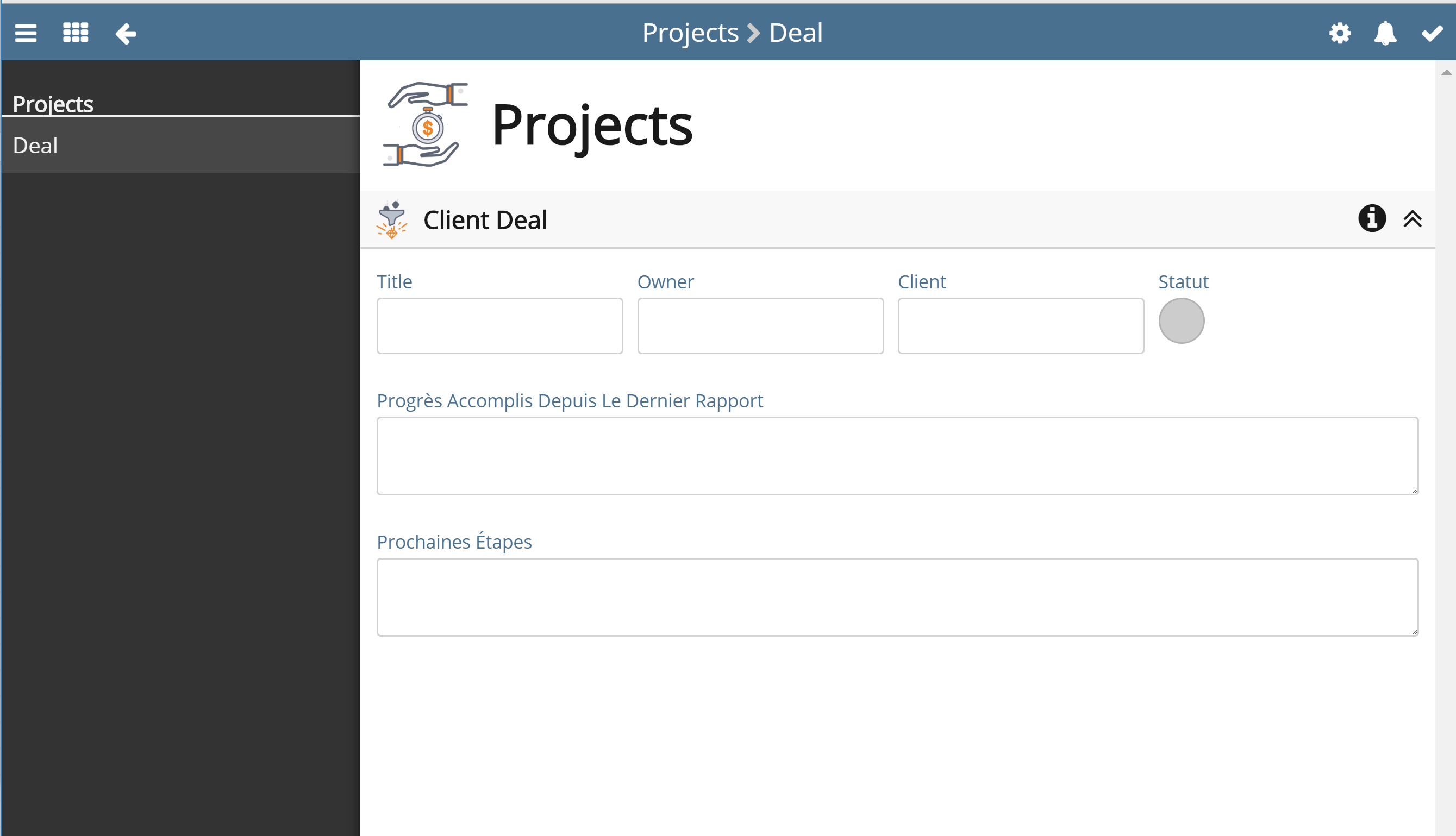
Once you've created your necessary form you can then move onto creating the workflow for these forms. You need to create a client team that will house all users that our clients. I've called my workflow Client View with the trigger on record create. The action is to hide the main form for the client team leaving only the client deal form visible for them while leaving other visible to everyone else. Too make viewing easier you might also want to add an action to hide the client form from certain teams so they don't get confused when entering data, but you might want to keep this visible to yourself so you can always check what they can see.
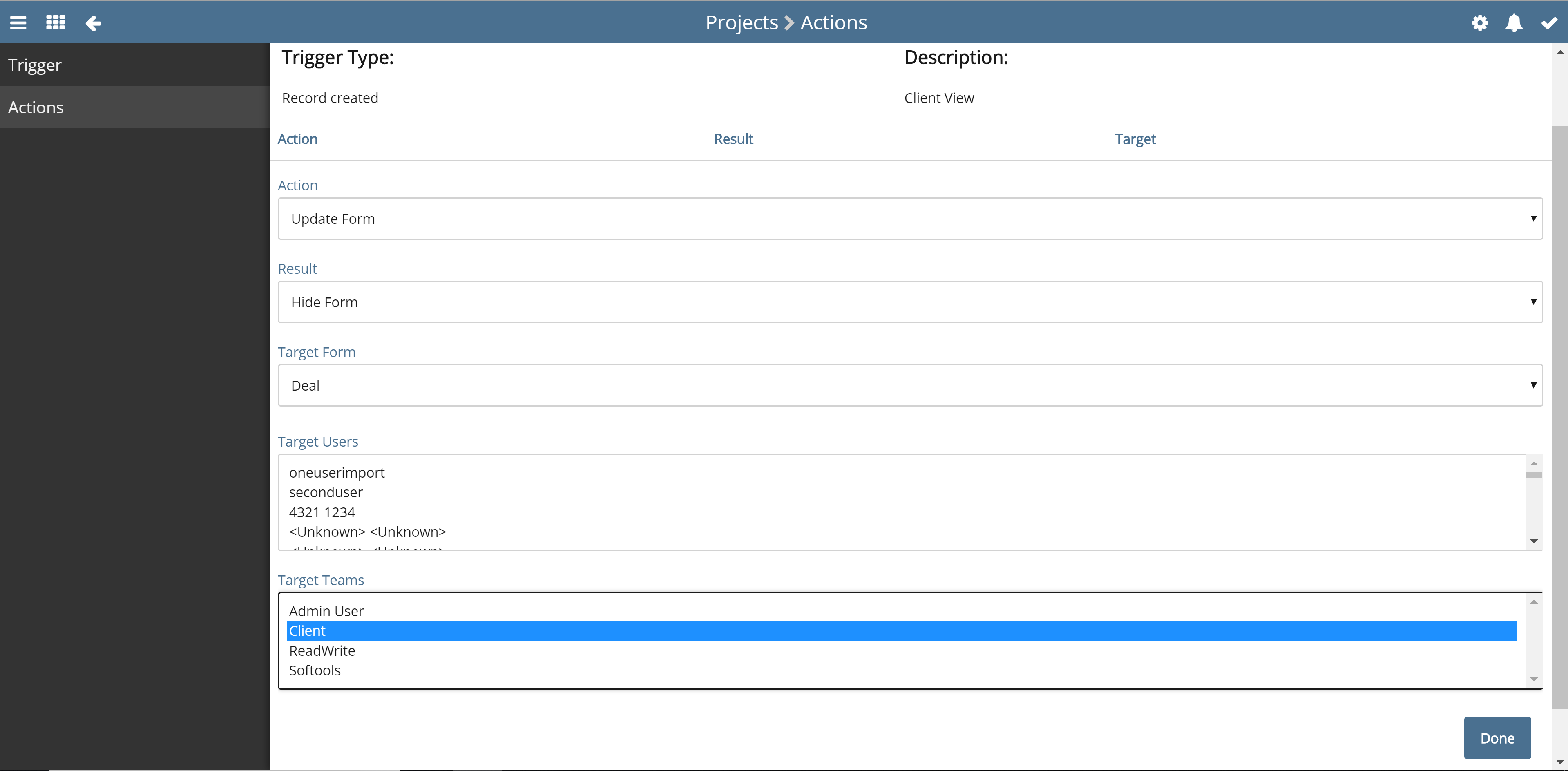
When setting up a Workflow, you will first need to set up a trigger event to determine when the Action will run. For a list of Trigger Events see our article here: Workflow Trigger Events.
If you want to go further into protecting your data you can also make sure in the publish area that the client only has read-only access to the record so they can't edit any of the data. If you want them to have the ability to update certain fields in the record but read-only access for others then you will want to take a different approach. Keep access to editable but with the fields you don't want them to be able to edit, copy the field and in the expression enter in the old field then add this to the client form, this means they can still see the data but the field is read-only for them.
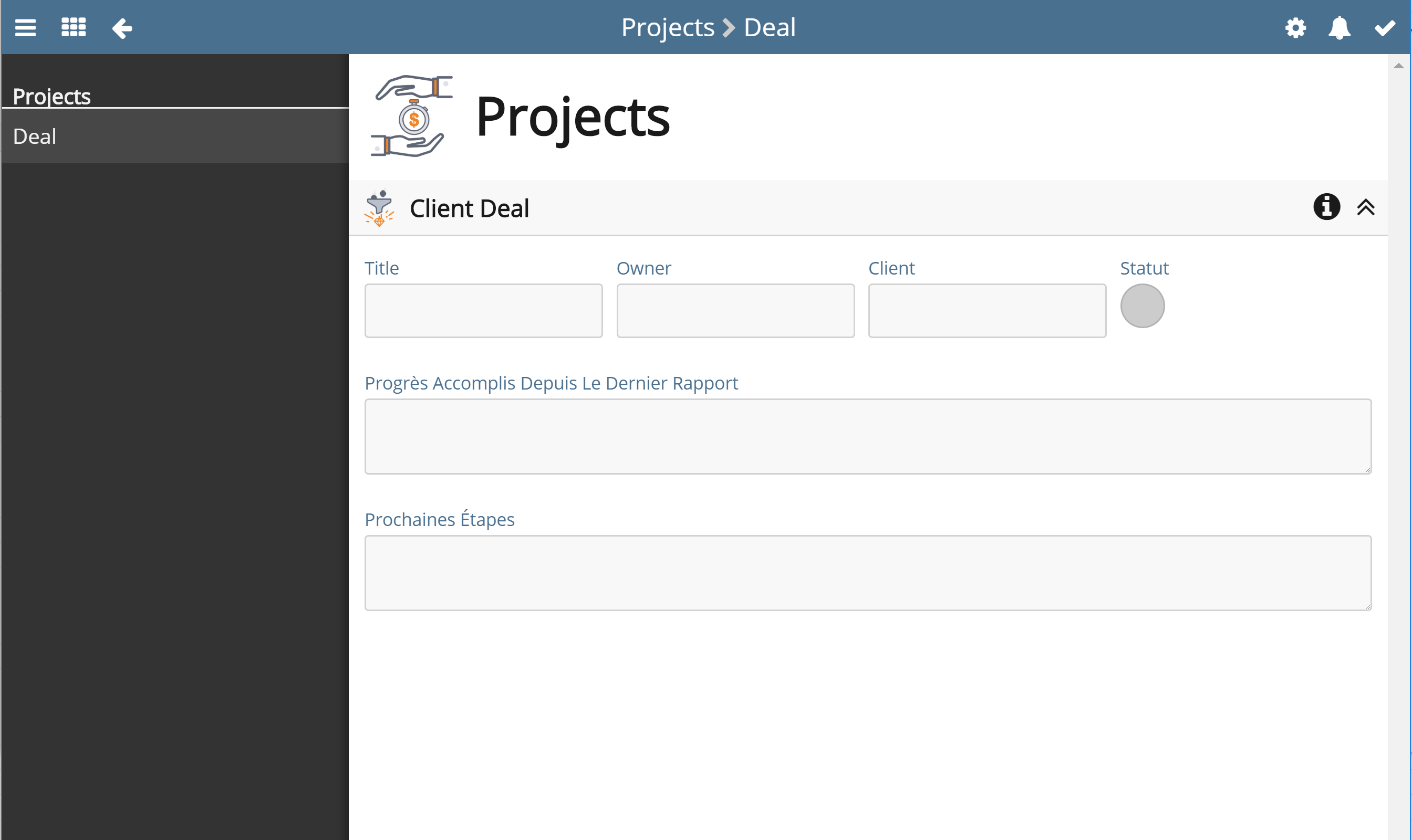
Please note this is only for visibility, this should not be a security option that you use
Please sign in to leave a comment.
Comments
0 comments