AI-Powered Record Summaries from Child App Data in Softools (Audit & Linked Questions)

This community post explores how AI workflow can be used to generate meaningful summaries on a record by looking at the data held in its child records.
To demonstrate this, we'll use a standard app structure for a Compliance Audit App:
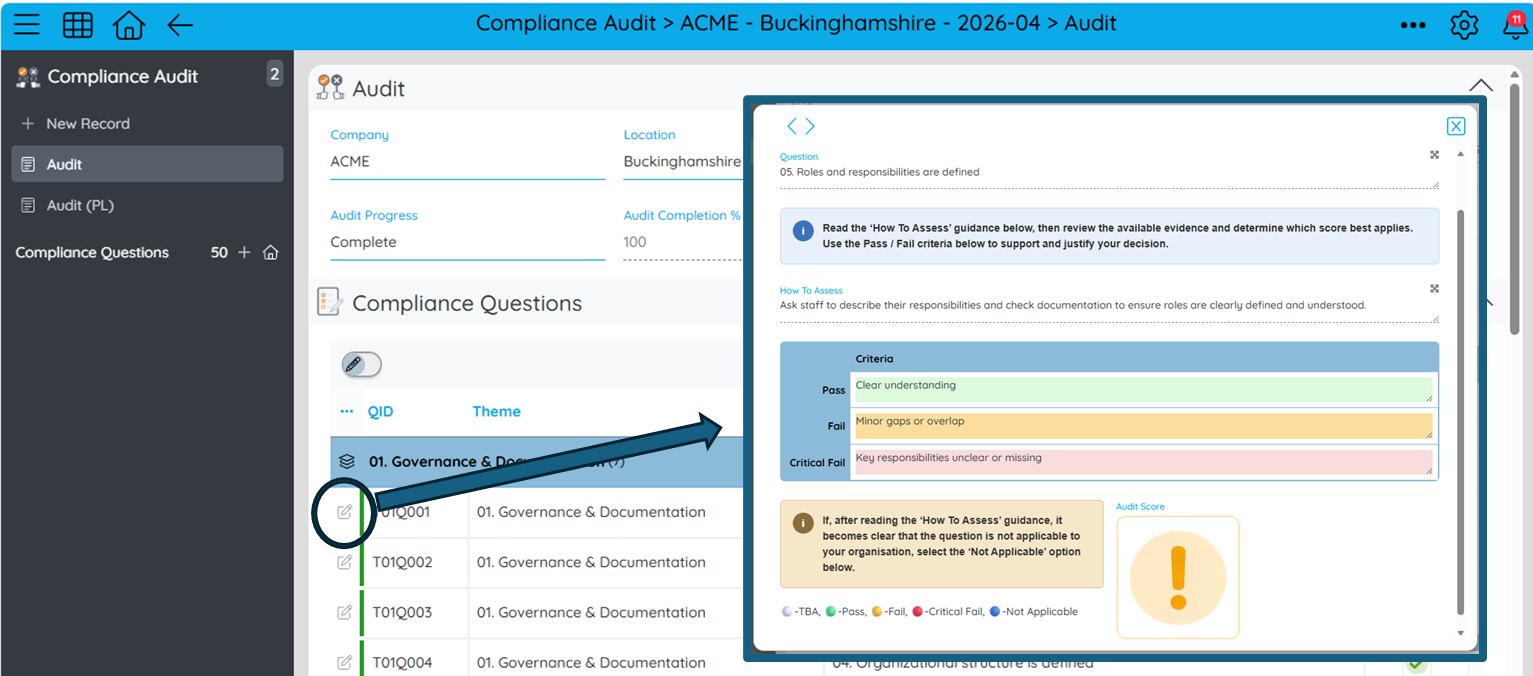
- An Audit App with parent audit records
- A set of linked Question records underneath each Audit
- Each Question is scored (Pass / Fail / Critical Fail)
- If a Question fails, a Corrective Action is raised and tracked in fields on the Audit Question record
So the structure is:
Audit → Questions & Actions (where required)
The focus here is not on changing the data model, but on how to shape existing child data so AI can summarise it effectively at the parent record level.
The outputs we will be getting are:
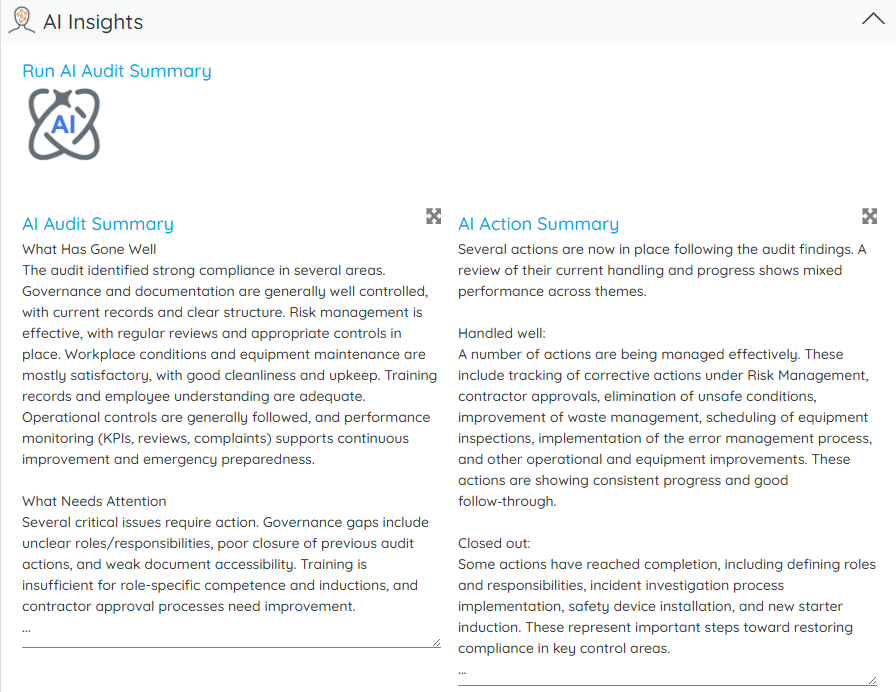
- An AI Audit Summary based on the scores for the Audit Questions
- An AI Action Summary on the progress of the Compliance Actions for the Audit
1. Structuring child data for AI into a single Text Field
First, we need to get the key information for each question into one Field. At the Question level, each record is converted into a consistent summary string in a new Field called Question Summary String.
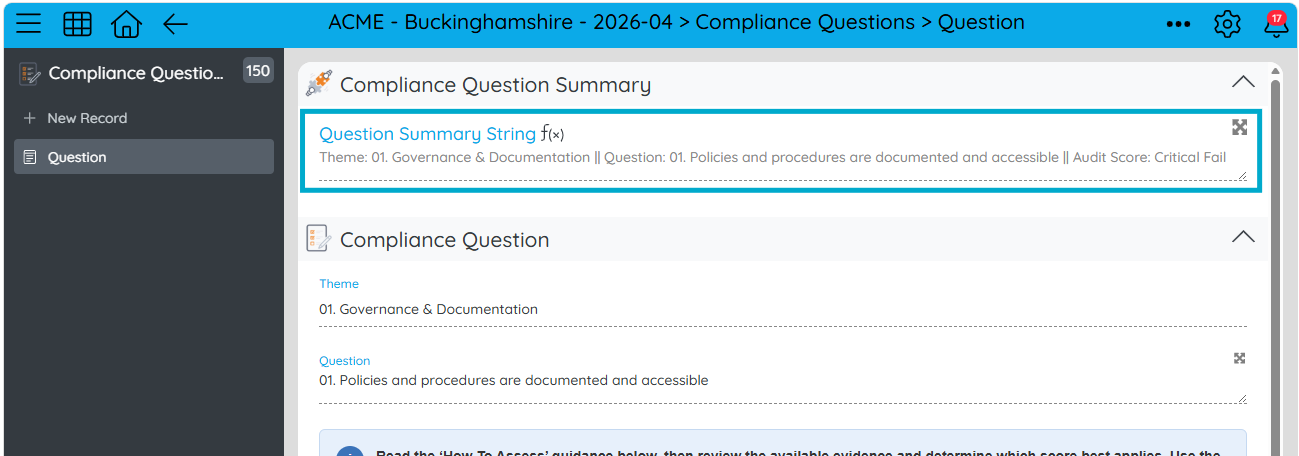
[QuestionSummaryString] = 'Theme: ' + [Theme] +
' || Question: ' + [Question] +
' || Audit Score: ' + [AuditScore]
This ensures every child record is condensed into a structure for AI consumption.
2. Aggregating child summary data into the parent record
At the Audit level, the summary strings for all the related Question records are concatenated into a single text field called Compliance Question Summary.
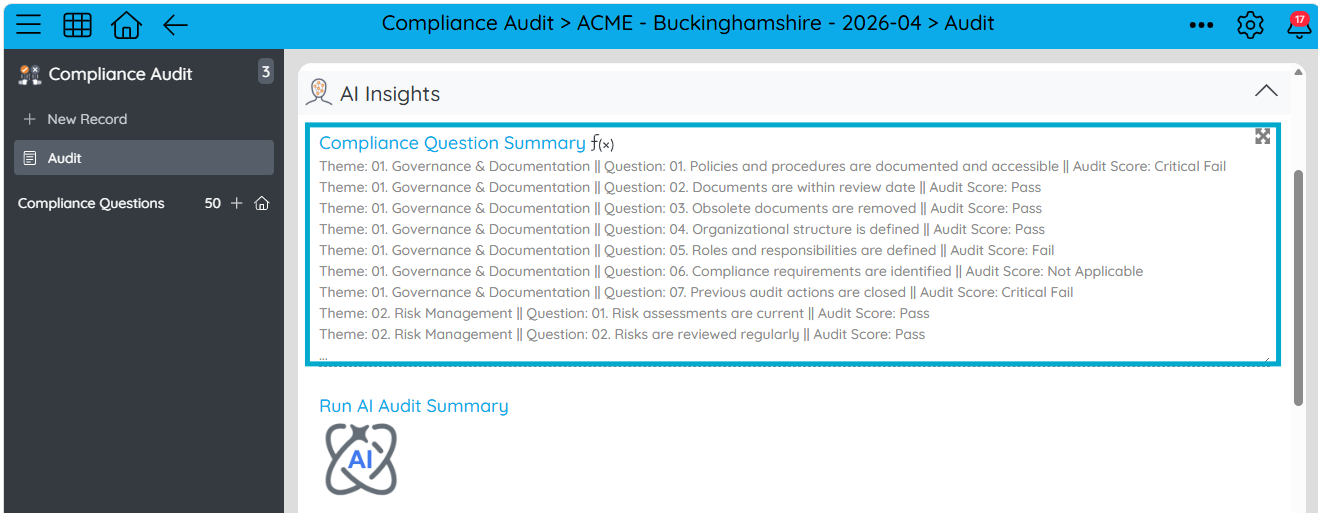
[ComplianceQuestionSummary] = childconcat('\n', 'ComplianceQuestions', 'QuestionSummaryString')
This gives the Audit record a complete structured representation of all child question scoring data.
3. Generating an AI summary from child data
That aggregated audit question scoring summary can then be passed into an AI Managed Prompt node.
System:
'You are the compliance manager writing an evaluation on a compliance audit'

User:
'Use the compliance answers to write a summary of the Compliance Audit.' +
'The compliance answers are: ' + [ComplianceQuestionSummary]

Assistant:
'Use minimal formatting as response is only accepted if string.' +
'Line breaks are fine but do not use HTML or bold or any formatting of this kind.' +
'Split the summary into what has gone well and what needs attention with the most relevant examples.'
This produces a structured narrative summary of the Audit specific to the scoring of its child Audit Questions.
We add a button to trigger the workflow and an Update Field Value node to place the response into the Audit in an AI Insights area on the Audit.

4. Extending the same approach to corrective actions
The same pattern can be applied to Questions that require remediation.
At Question level, extend the values included in the Summary string into a Field called Action Summary String.
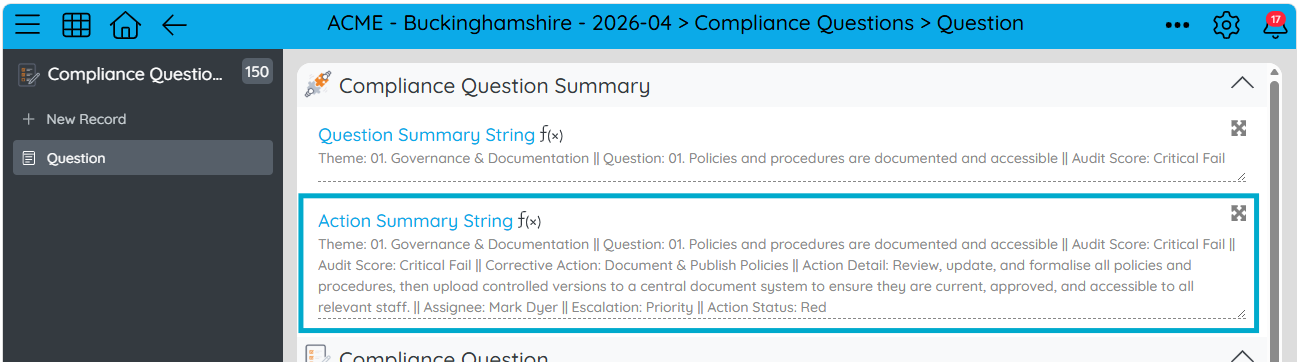
[ActionSummaryString] = 'Theme: ' + [Theme] +
' || Question: ' + [Question] +
' || Audit Score: ' + [AuditScore] +
' || Corrective Action: ' + [CorrectiveAction] +
' || Action Detail: ' + [ActionDetail] +
' || Assignee: ' + [Assignee_Text] +
' || Escalation: ' + [Escalation] +
' || Action Status: ' + [ActionStatus]
5. Aggregate the action states to the Audit, filtering for failed questions only
For action analysis, only failed or critically failed questions are included so we aggregate the action summary states to the Audit level by adding a field and using the following child concatenation expression with a filter for Audit Score is equal to 'Fail' or 'Critical Fail'.
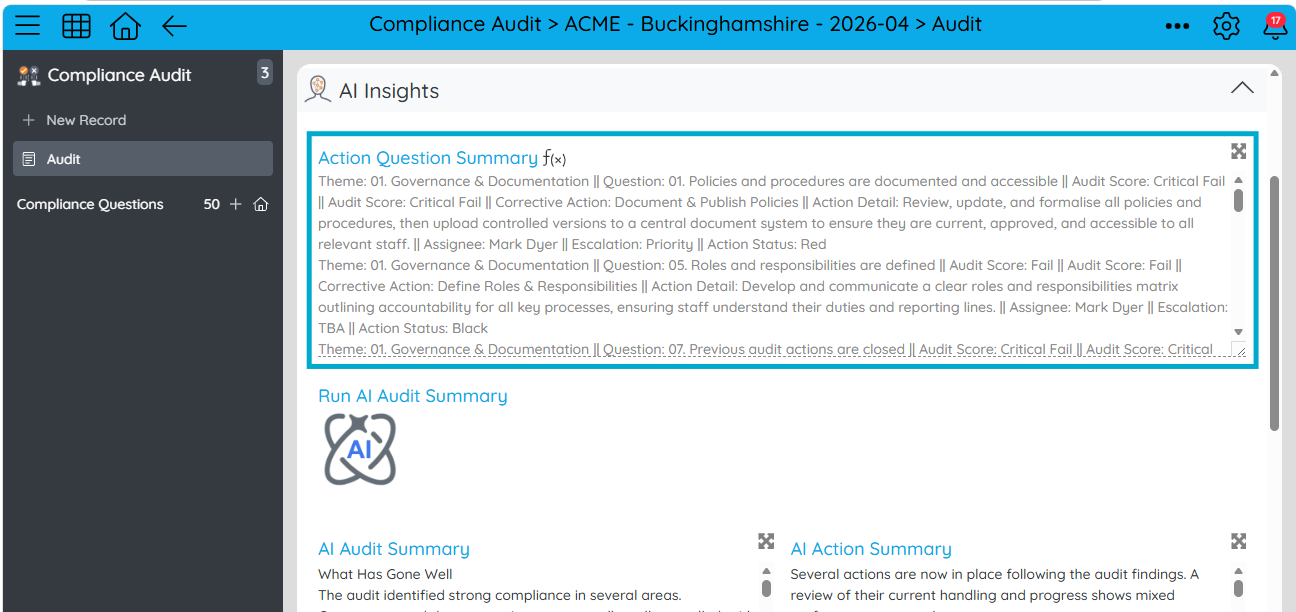
[ActionQuestionSummary] = childconcat( '\n', 'ComplianceQuestions', 'ActionSummaryString', '{$or: [{ AuditScore: "Fail" }, { AuditScore: "Critical Fail" }]}' )
This ensures the data that we will pass into the next AI Prompt node is focused only on areas requiring remediation.
6. Generating an AI action progress summary
A second AI Managed Prompt node can then interpret corrective action progress:
System:
'You are the compliance manager writing an evaluation on a compliance audit.'

User:
'The summary of the Audit Scores is:' + [Var.auditScoreSummary] +
'||| Now, given the state of the current actions are... ' +
[ActionQuestionSummary] + '... write a summary of the actions. ' +
'For context but do not explain in the response: Action Status of Black means completed, Red means not being handled well, Amber means it is being handled but could be better, Green means it is being handled well and Unset is not started. ' +
'For escalation TBA is not escalated and Priority is Escalated.'

Assistant:
'Use minimal formatting as response is only accepted if string. ' +
'Line breaks are fine but do not use HTML or bold or any formatting of this kind. ' +
'Write the summary in terms of what is being handled well, closed out, open with escalation. What actions look to be missing in order to have effective Audit compliance next time the audit is done.'
As before, we can write this AI response to a new Field called AI Action Summary.

*The prompts we have used is generic, but you can tailor this to your specific business process.
Outcome
This pattern shows how AI can take structured child App data and turn it into useful, contextual summaries at the parent record level.
Two outputs are produced from a single Audit instance:
- An AI summary of the audit responses
- An AI summary of corrective action progress
All without changing the underlying App structure — just by shaping how child data is passed into the AI.
Please sign in to leave a comment.
Comments
0 comments