Using a Dynamic “My Items” Lens on Reports (User-Based Filtering)

A really powerful pattern in Softools apps is using a Lens on a Report to dynamically filter records based on the logged-in user, without needing duplicated reports with fixed filters per user.
A common use case is creating a personalised “My Actions” view inside an Action Report.
The Scenario & Goal
Imagine you have an Action Report showing all actions in your app.
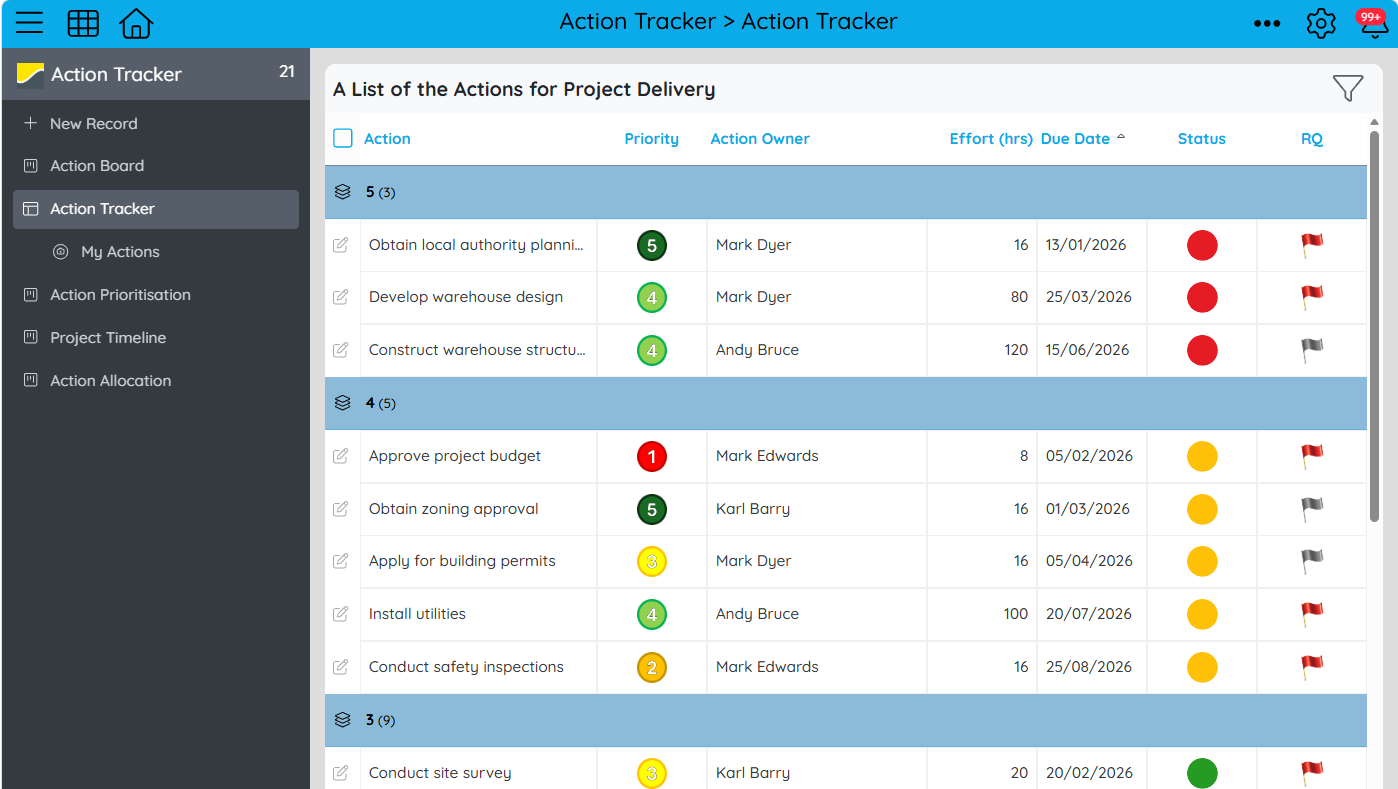
Each Action record contains a Person field such as the Action Owner. This field assigns each action to a specific user.
You want each user to see a personalised view:
- When I log in → I only see actions where I am the Action Owner
- When another user logs in → they only see their own assigned actions
No manual filtering. No duplicate reports. Fully dynamic.
How to Set It Up
1. Ensure You Have a Person Field
In your Action record, include a Person Field for the Action Owner. This field stores the user responsible for the record.
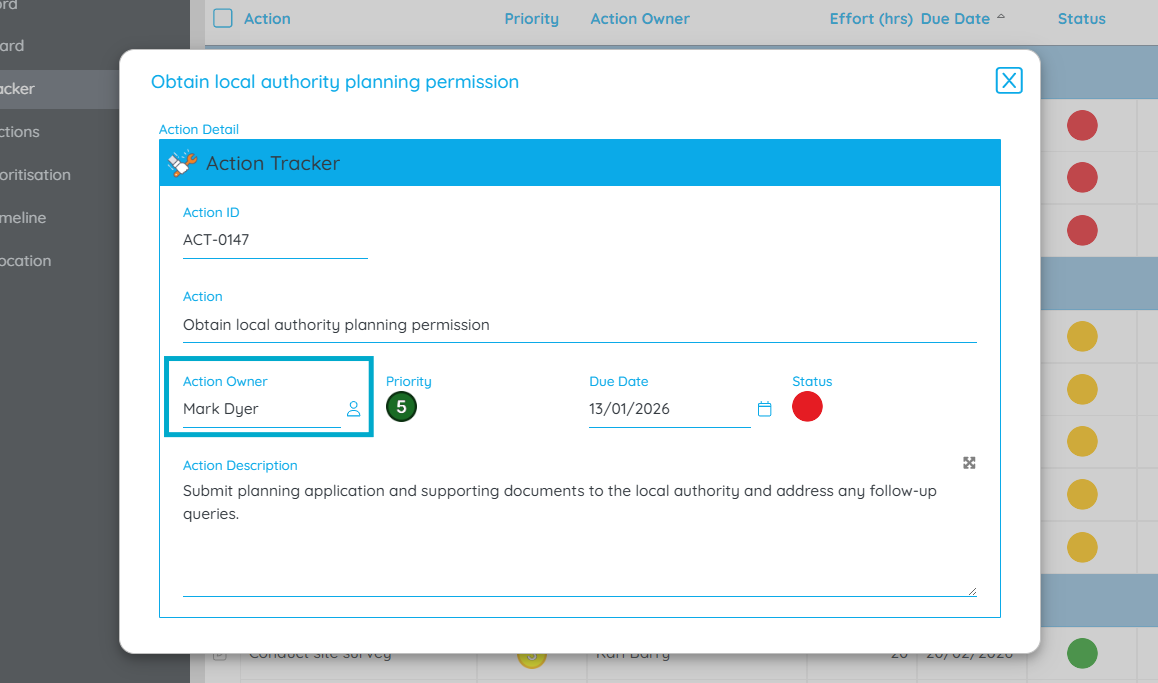
2. Create Your Base Report
Create a Table Report that lists All Actions / All Live Actions
3. Add a Lens to the Report
Now create a Lens on that report:
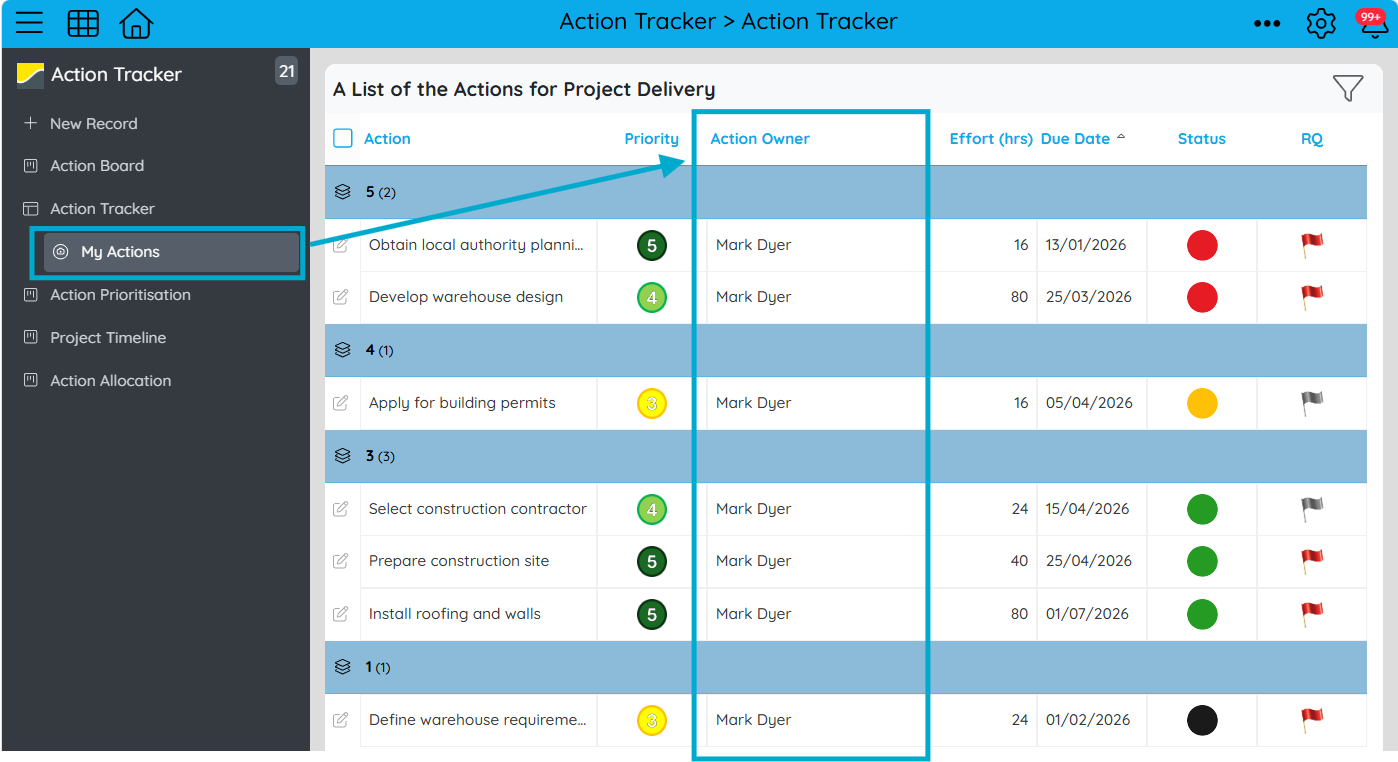
- Name: My Actions
- Filter condition: Action Owner = Current User

This is the key step—using the platform’s ability to dynamically reference the logged-in user.
The Result
Once configured:
- The base report continues to show all actions (useful for admins or oversight users)
- The “My Actions” lens dynamically filters the same dataset
- Each user automatically sees only their own relevant records
| User | What They See |
|---|---|
| Alice | Actions where Action Owner = Alice |
| Bob | Actions where Action Owner = Bob |
Why This Pattern Is So Useful
- No need to duplicate reports per user
- Works dynamically using login context
- Keeps your app scalable as user numbers grow
- Easy to apply across other modules like Tasks, Issues, Requests, etc.
Extending the Pattern: Role-Based “My [X]” Views
This same concept becomes even more powerful when you move beyond a single “Owner” field and start designing your Apps around roles and responsibilities.
In real-world situations, responsibility for end-to-end of a process is rarely held by just one person. Instead, different users interact with the same record in different ways:
- A task may have an Assignee
- An issue may have a Reviewer
- A request may need an Approver
- A case may have a Technician or Case Handler
Each of these is simply another Person Field in your App. Once these role-based fields exist, the Lens pattern scales naturally:
- My Tasks → Task Assignee = Current User
- My Reviews → Reviewer = Current User
- My Approvals → Approver = Current User
- My Cases → Case Handler = Current User
From the user’s perspective, this becomes a simple, intuitive experience:
“Show me everything I need to act on right now.”
Instead of thinking in terms of a single “My Actions” view, you’re building a responsibility-driven interface, where:
- Every user sees only what is relevant to their role at that moment
- Work is automatically surfaced based on assignment fields
- Users can naturally move between different lenses depending on their responsibilities
This is especially powerful in systems where roles overlap. Someone may be an Assignee in one process and an Approver in another.
Please sign in to leave a comment.
Comments
0 comments