The Value of Visual Evidence with AI Potential in Your Applications

Many business processes rely on more than just written information. Whilst a checkbox or text field may record what happened, an image or supporting document often provides the context needed to fully understand the situation.
Adding Image and Document fields to your applications can significantly improve the quality of the information captured, whilst also reducing the need for follow-up visits or clarification.
Typical Scenarios for Image & Document Fields
Some of the most common scenarios include:
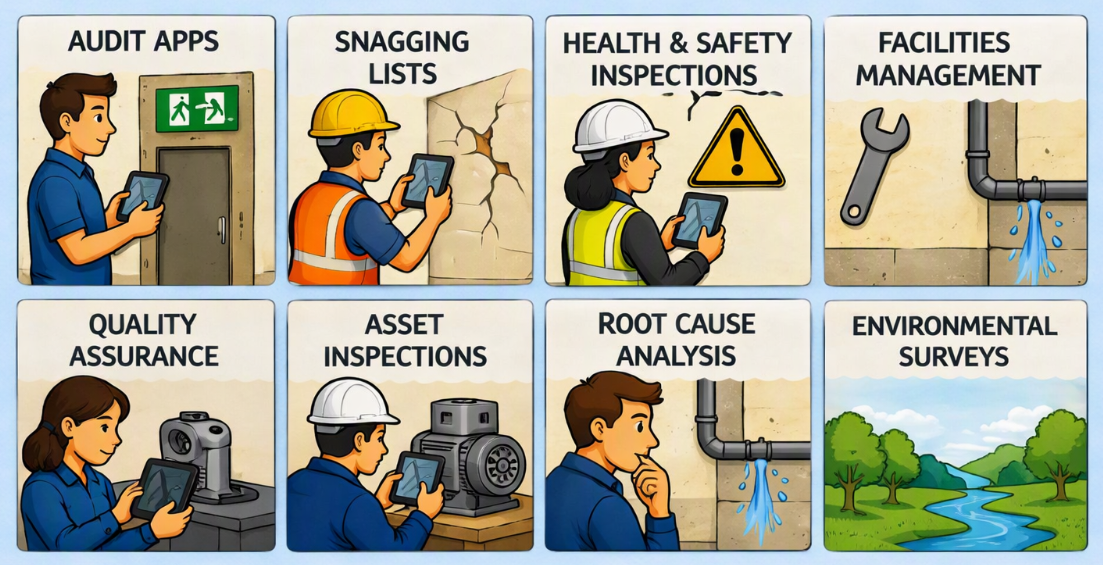
- Audit Apps – Evidence that a requirement has been met.
- Construction Snagging Lists – Capture defects, progress and completed works.
- Health & Safety Inspections – Record hazards, PPE compliance and unsafe conditions.
- Quality Assurance – Document product defects or manufacturing issues.
- Asset Inspections – Photograph equipment condition before and after maintenance.
- Root Cause Analysis – Capture the scene of an incident before changes are made.
- Facilities Management – Record maintenance issues or completed repairs.
- Environmental Surveys – Capture site conditions and observations.
More Than Just Evidence
Images provide valuable context that may not seem important at the time but becomes invaluable weeks or months later when the record is reviewed.
Decision makers can often assess an issue without travelling to the location, saving both time and cost whilst still having confidence in the information available.
Documents can also be attached to records, allowing users to store certificates, reports, manuals, quotations, drawings, permits or any other supporting files alongside the process.
AI Can Understand Your Images Too
Images are no longer just for people.
When used with AI, they can become a valuable source of information that can be analysed automatically.
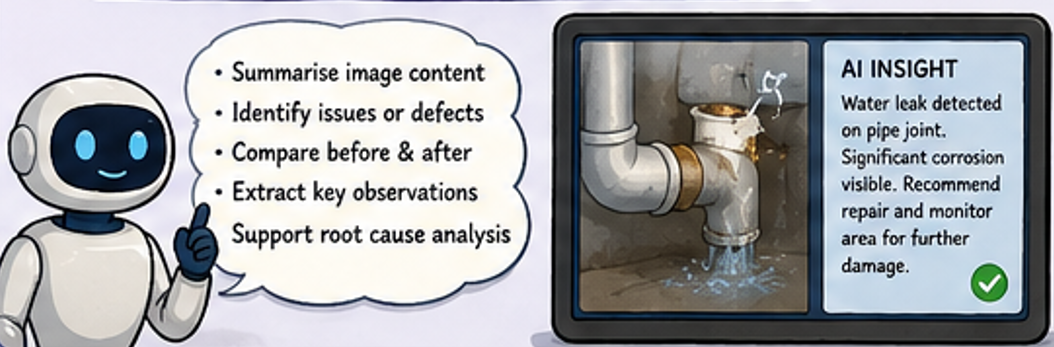
For example, AI could:
- Summarise the contents of a site photograph.
- Identify damaged or missing equipment.
- Compare images before and after maintenance work.
- Extract observations from inspection photographs.
- Assist with identifying potential causes during a Root Cause Analysis.
- Generate narrative summaries from multiple pieces of visual evidence.
By capturing images during the process, you're also creating valuable data that can be analysed long after the event.
Choosing Between Single and Multiple Images
One of the questions App Builders often ask is whether they should use a single Image field or allow multiple images.
The answer depends on the business process.
Single Image Field
If each record only ever needs one photograph, the built-in Image field is the simplest option.
For example, in an Audit App there may be a requirement such as "Emergency Exit Signage is Present." One photograph is usually sufficient to demonstrate compliance against that individual audit requirement.
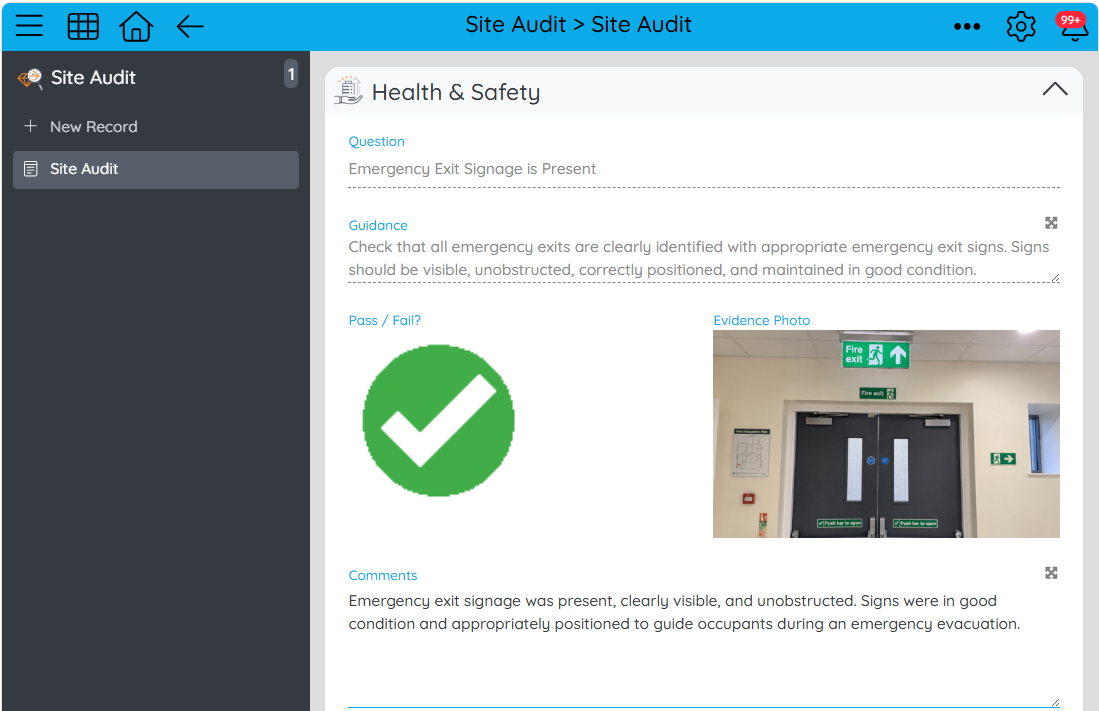
The image becomes the evidence directly linked to that record.
Multiple Images
Some processes naturally require many photographs.
A Construction Project or Snagging application is a great example, where each snag may need multiple images showing different angles, progress updates or the completed repair.
Rather than trying to force multiple images into a single record, a better design is often to create a simple child application that stores photographs and relates them back to the parent record.
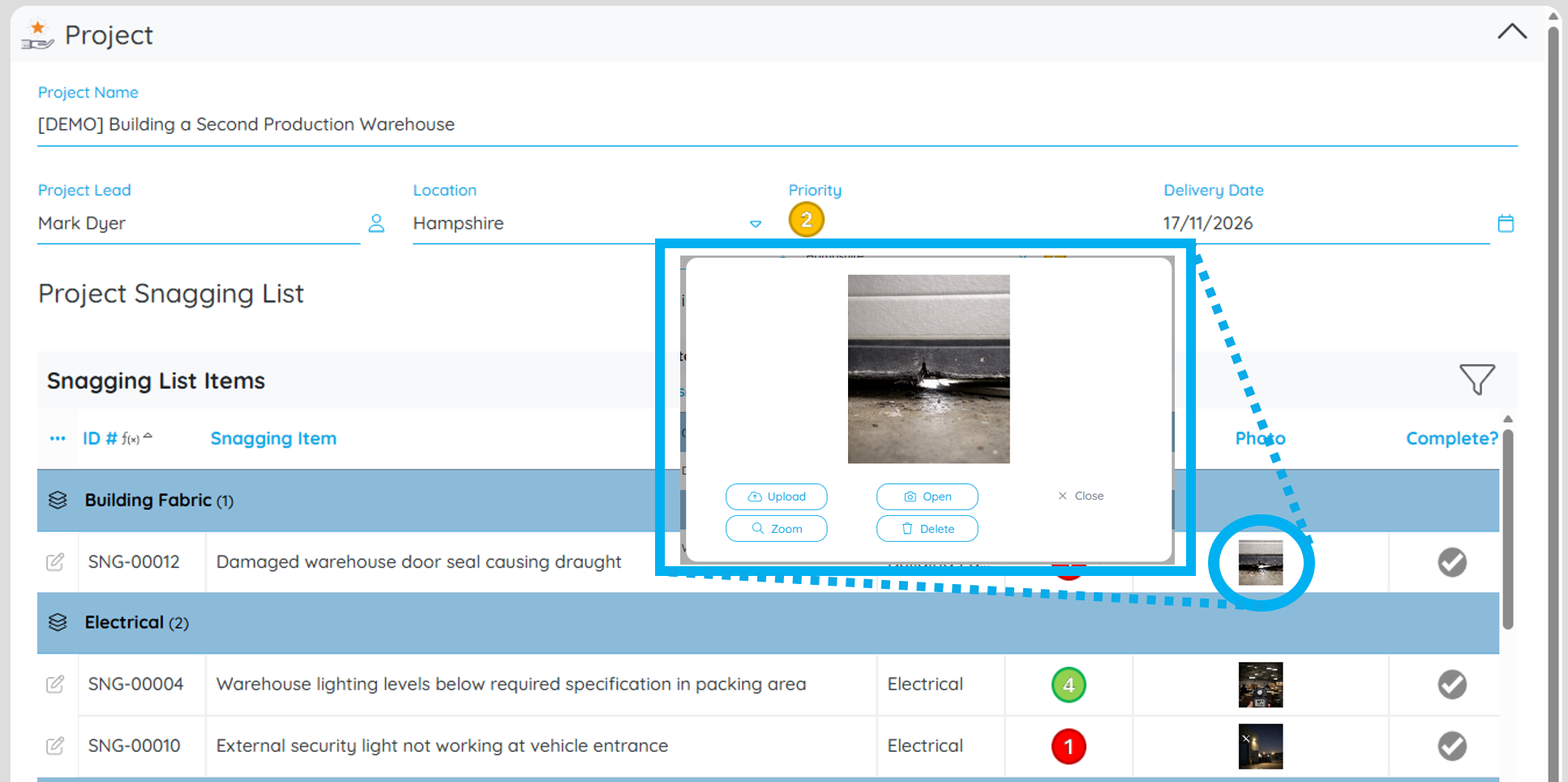
This provides unlimited images whilst keeping the application scalable, organised and easy to extend in the future.
Capture Images Wherever You Are
Don't forget that the Softools Image field works seamlessly with your device's camera.
Whether you're carrying out an inspection on a tablet or recording snagging items on your phone, users can take photographs directly within Softools at the point of capture.
Images can also be uploaded from files already stored on the device, making it equally easy to add existing photographs or evidence collected elsewhere.

By incorporating Image and Document fields into your applications, you'll create richer records, improve decision making, support AI-powered analysis and provide stronger evidence throughout your business processes.
Please sign in to leave a comment.
Comments
0 comments