Stop Unwanted Questions Being Added to an Audit

A closer look at the new Workspace Experience setting
Imagine a Compliance Audit app with a linked Compliance Questions child app. When someone creates an Audit, a Copy and Link process automatically generates the Questions it needs. The user can open those Questions, complete the assessment and record the results. There is no reason for them to add another Question manually.
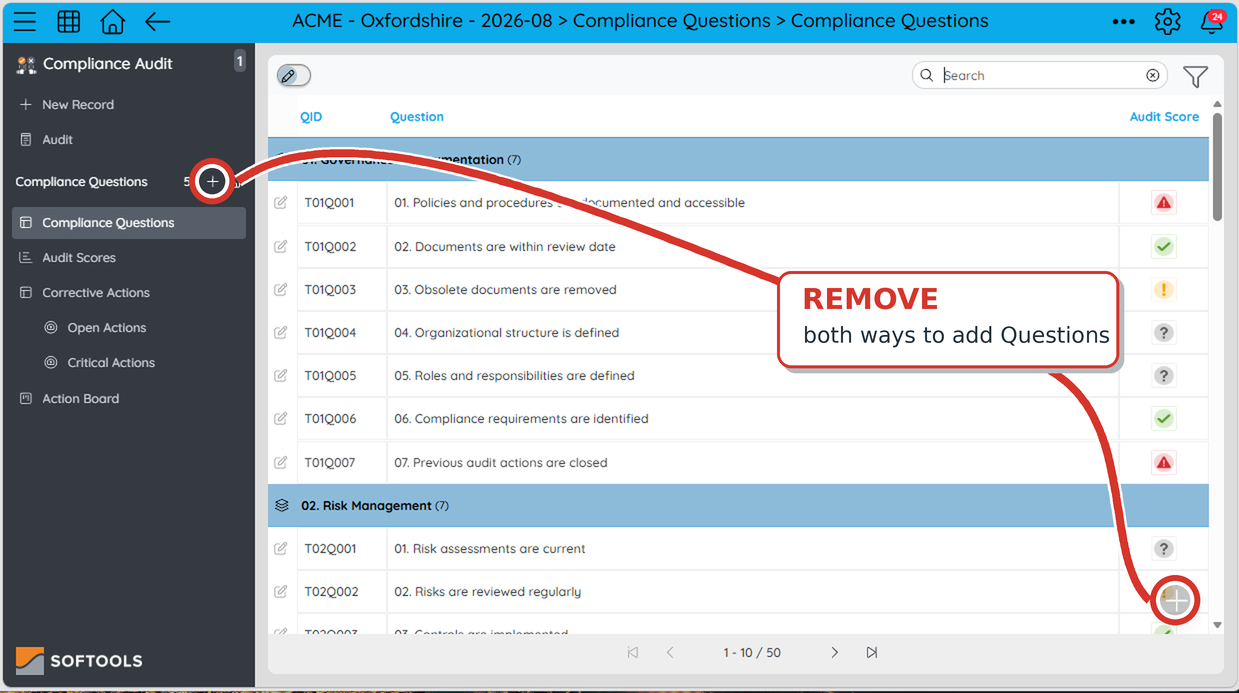
Yet, if the Questions app displays its usual + controls, those controls suggest that adding a Question is part of the task. Hiding them makes the intended route clearer and reduces accidental extra records.
The Audit app still needs its own New Record control so users can start another Audit.
Set it in App Studio
Open the Compliance Questions child app in App Studio, then go to App Configuration → Advanced Config → Workspace Experience. Under Add record control location, select Neither location and save. This setting belongs to the Questions app; the parent Audit app keeps its own configuration.
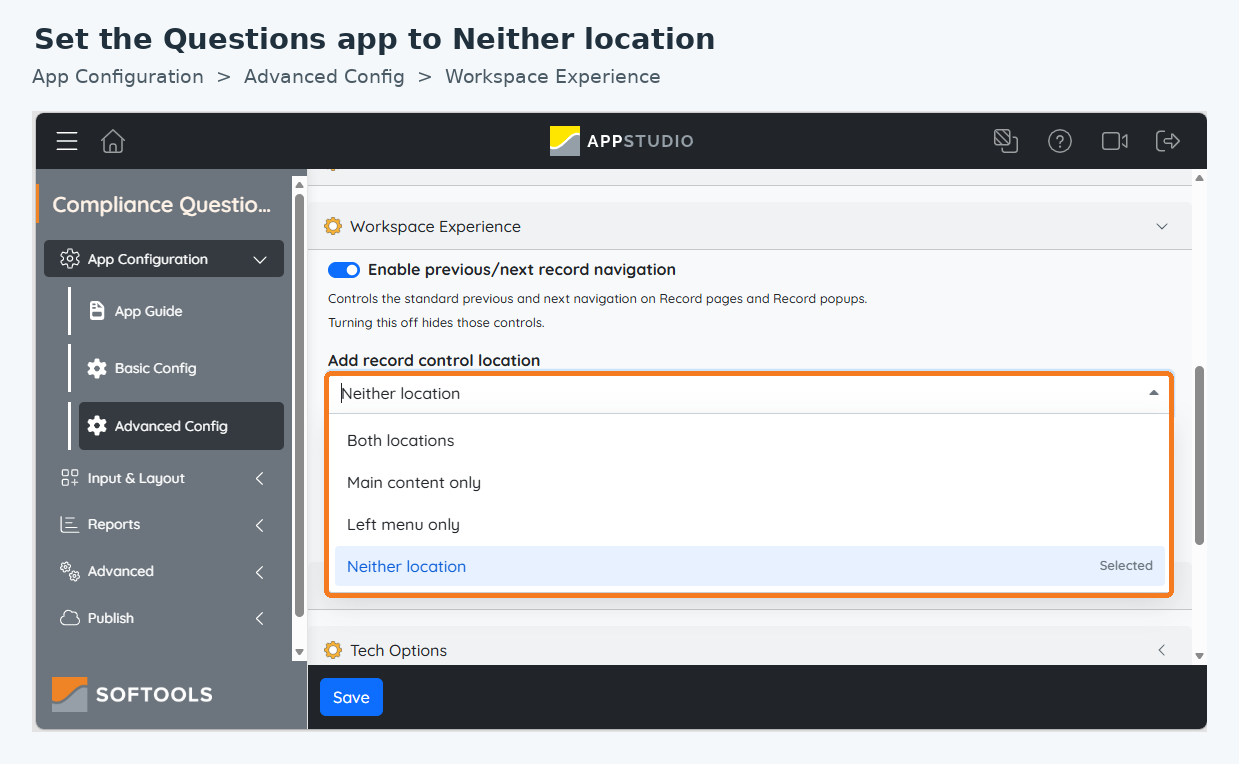
The change affects the standard controls for creating Questions. It does not stop the Copy and Link process from generating the linked Questions when an Audit is created.
What changes when Questions are accessed from the left menu
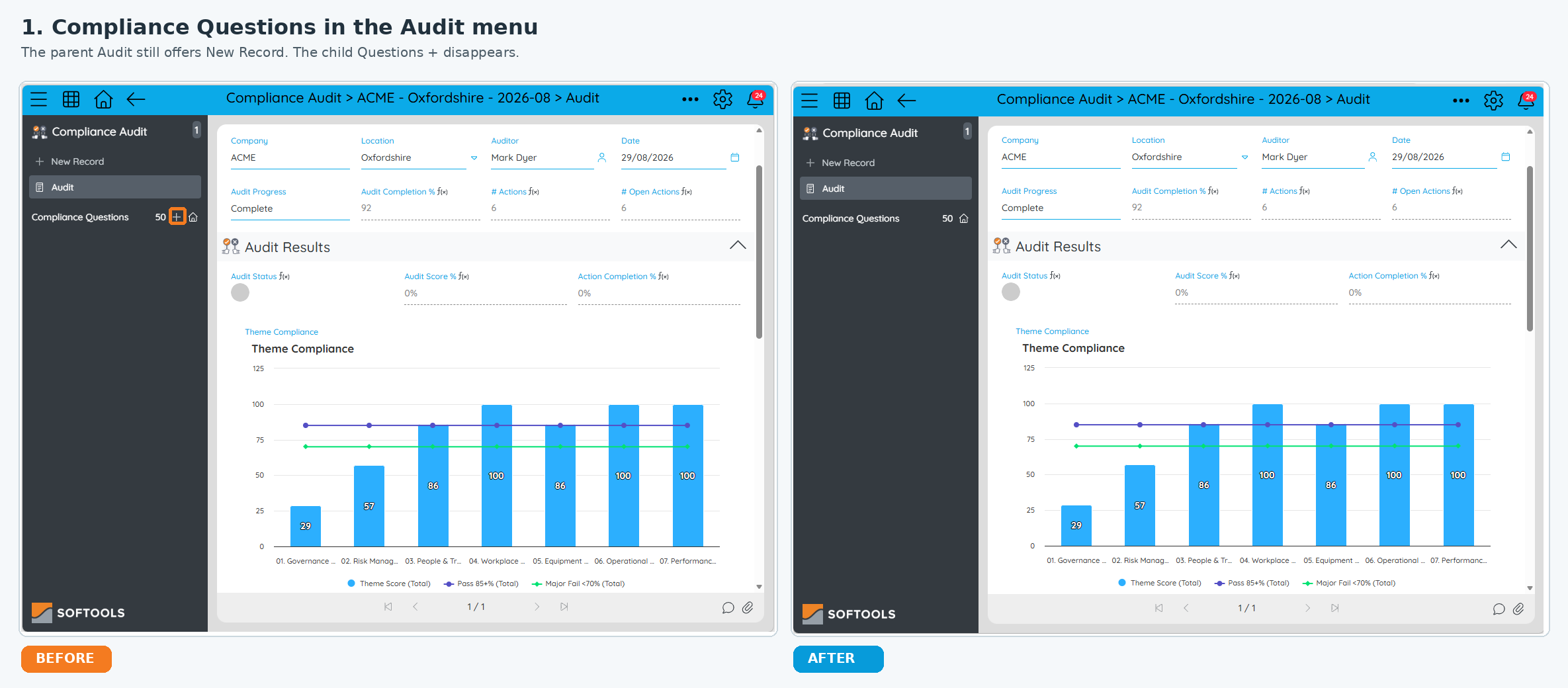
1. The child app + beside Compliance Questions disappears. In an Audit record, users can still see and navigate to its Questions from the left menu. They can no longer use the + beside Compliance Questions to add another Question. Notice that New Record under Compliance Audit remains available in both views.
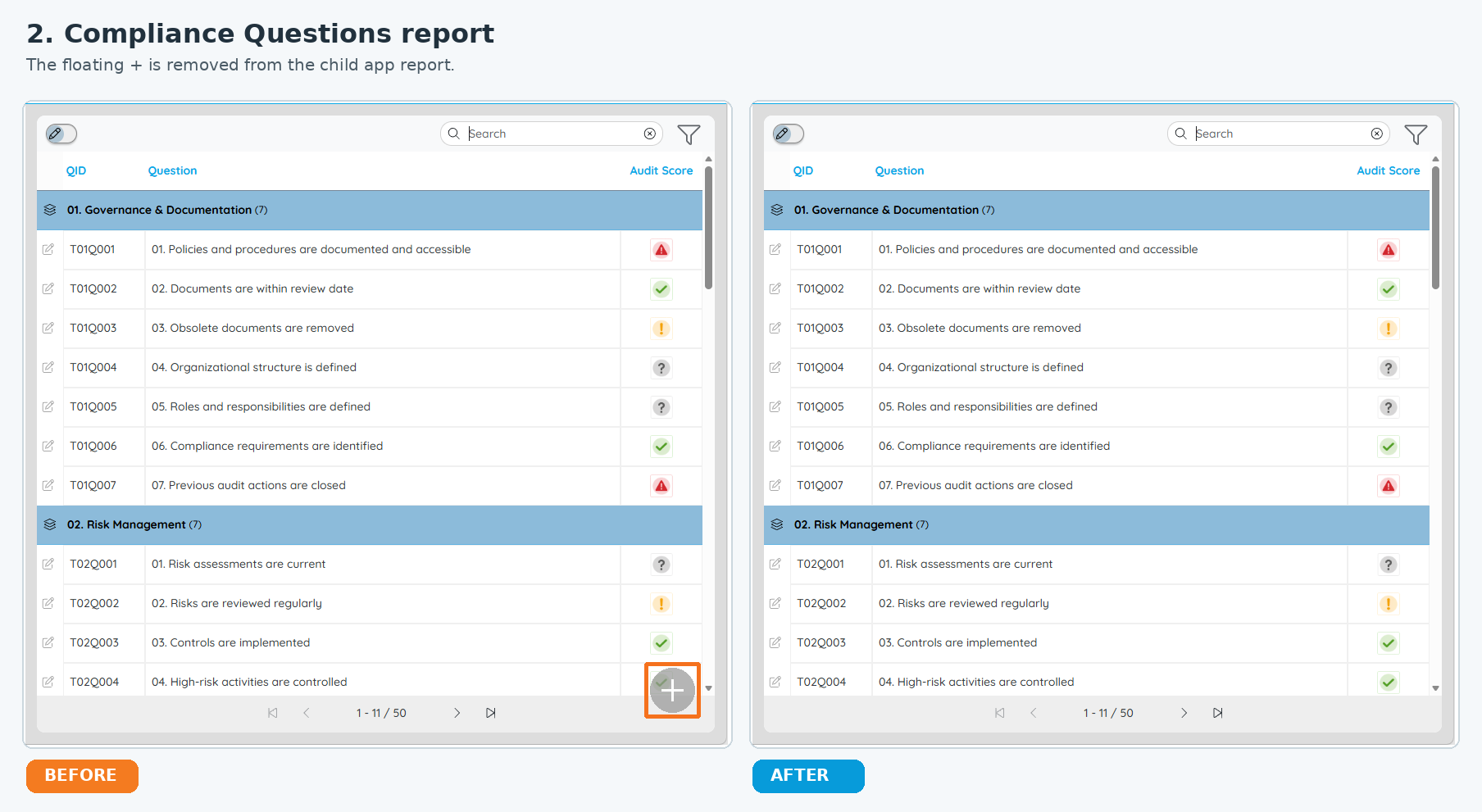
2. The floating + disappears from the Questions report. When users open the child app and view its report, the floating Add control at the lower right is also removed. They can still open the existing Questions to work through the Audit.
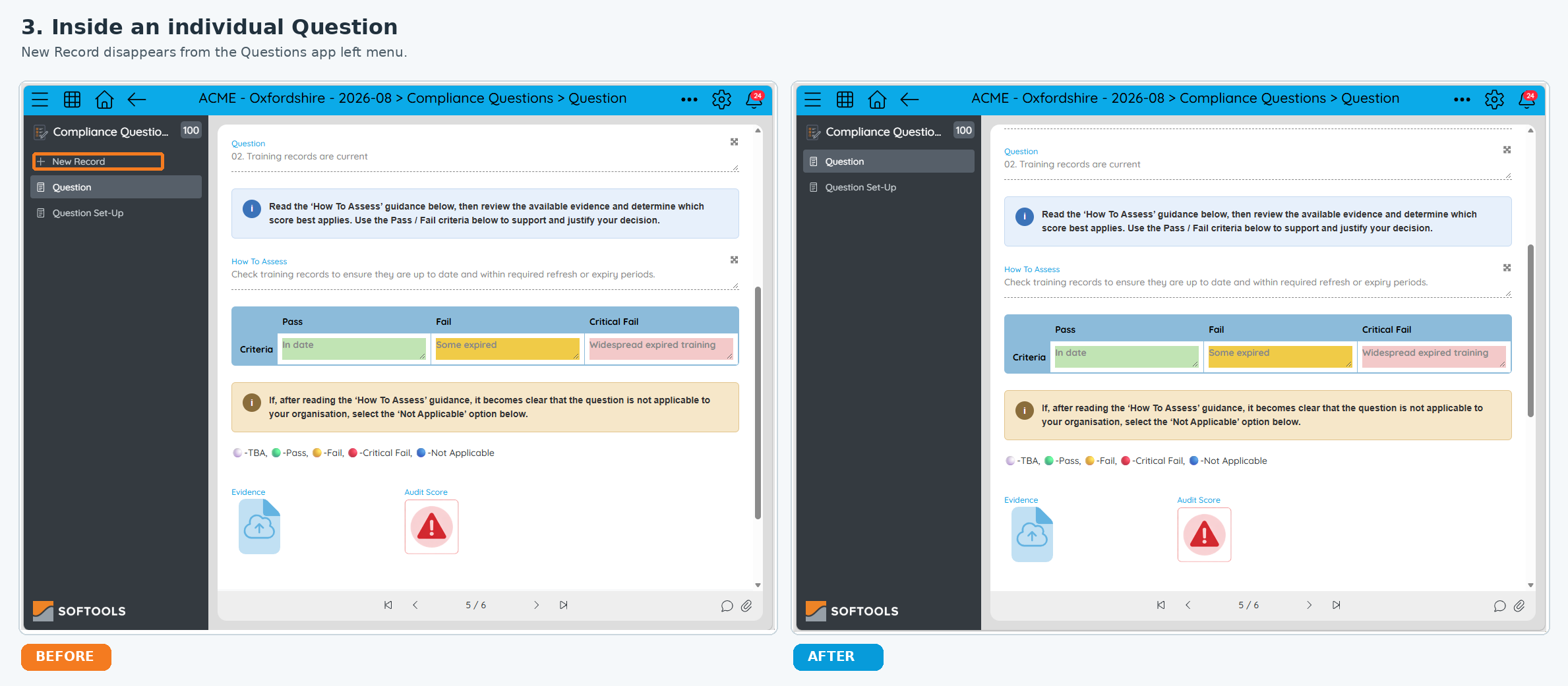
3. New Record disappears inside an individual Question. If a user opens one of the generated Questions, the Questions app no longer offers New Record in its left menu. This keeps the same approach throughout the child app, not just on its report.
More advanced layout: Questions embedded in the Audit
You might also show the Questions inside the parent Audit record using an embedded report, instead of relying only on navigation through the child app in the left menu. In this layout, setting the Questions app to Neither location removes the child app's + beside Compliance Questions and the floating + on the embedded report. The Compliance Audit app's New Record remains visible.
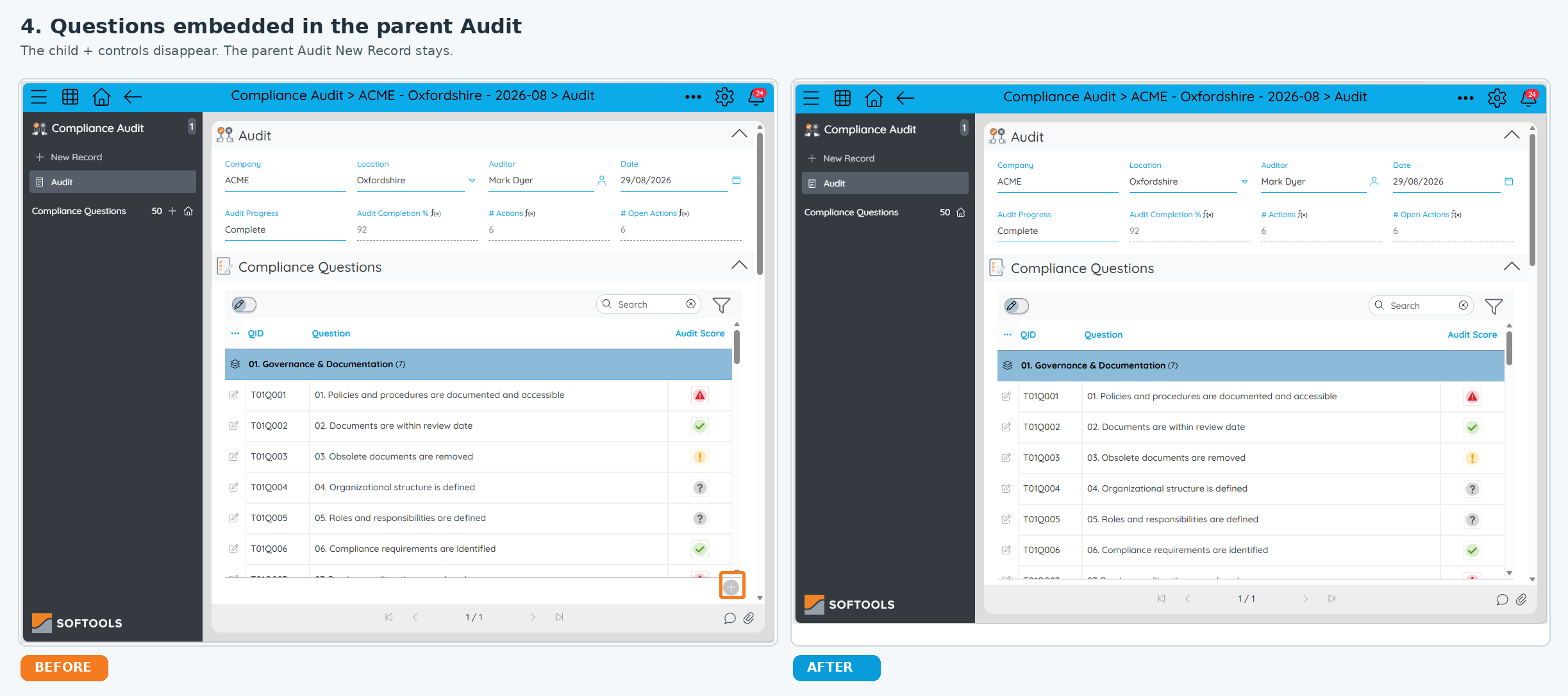
The result is a clearer Audit: users can create the parent Audit, work through the Questions generated for it, and see fewer prompts to create records they do not need.
For the full set of Workspace Experience options, see Advanced Config in Softools Support.
Please sign in to leave a comment.
Comments
0 comments