Reporting the date that a field is updated

In this post I'll be showing you how to create workflow that updates a date field with the date a field was set. This can be great or apps like actions trackers and training trackers. For this function you will need a completed date bit field and a date completed date field. None of these fields need expressions
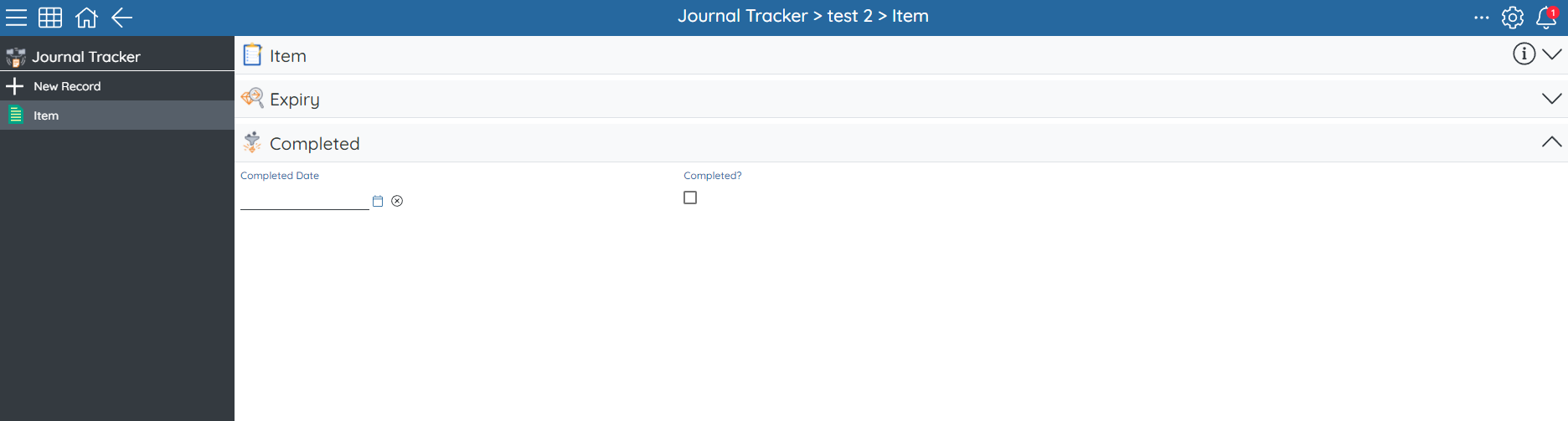
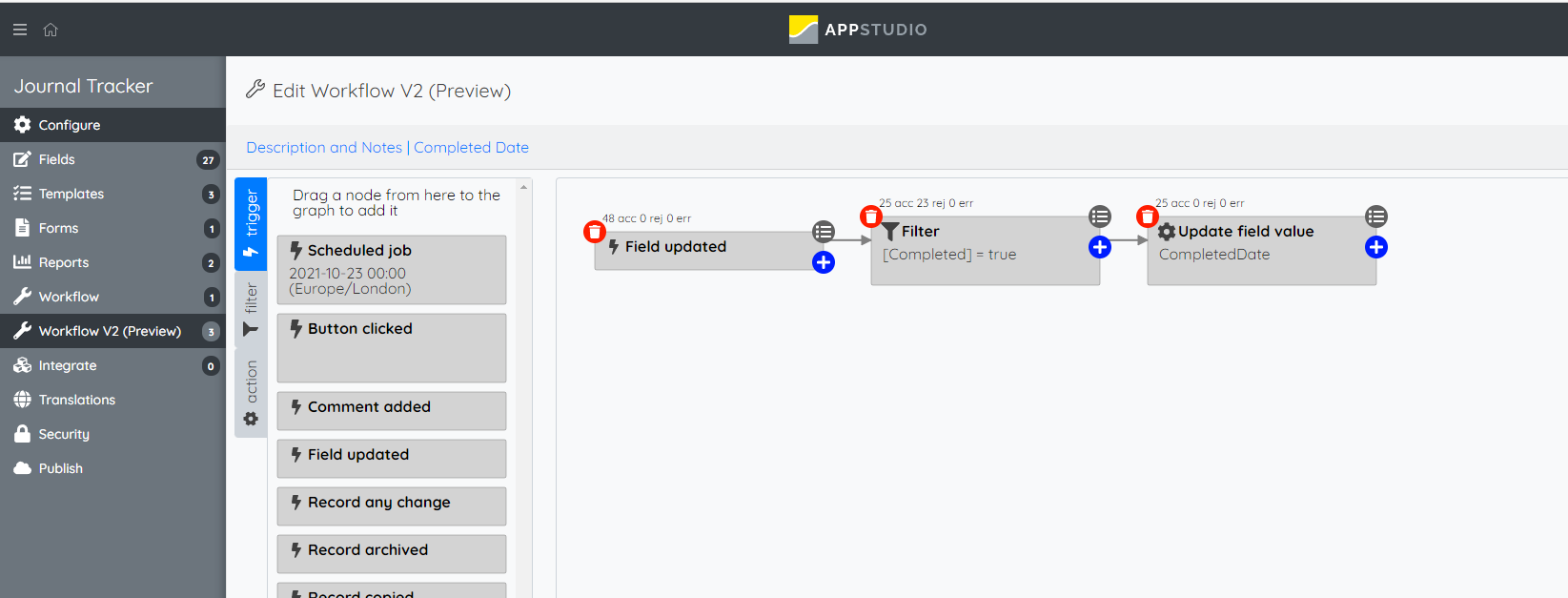
This functions use the new workflow V2 that allows you to update a field value. To start you will need a trigger based of field update, then you will need a filter that filters the workflow to just [Completed] = true so the workflow only runs when the record is set to complete. Then you can add the action to update field value which should set a DateNow() expression in your date completed field. So when the bit field is set to complete, you can now capture the date automatically.
Additional Notes:
- Instead of it being off a bit field you can run it on a button click that sets the record to complete and the date of completion, this can be good for when you don't want a user to unset the completion off the record
- If you want more granular tracking you can use a DateTime field and a DateTimeNow() expression to not just capture the date it was completed but the time aswell
- For the ability to set to completed and back again you can use an external text field that you display in the template with the expression If([Completed]=true, [CompletedDate], 'Not Completed'). So if its set to not completed it doesn't show a completed date
Please sign in to leave a comment.
Comments
0 comments