Stopping Users from Creating Records

For your app, you might find that you would like to prevent the users from creating additional records. This would be commonly used if there is a set amount of records needed to be created and any additional records would create more confusion. An example could be for an app which stores a list of questions to determine the qualifications of the safety of a product. In which other users could mistakenly add a new record which would be empty or false in the compliance processes.
Configuration
Firstly, a message will be created to indicate to the user that they cannot create additional records. This could be accomplished by creating a new Literal field with the message as its default value such as 'Checklist items will be automatically generated once the Internal Audit is created. Contact your system Administrator if you have any queries.'

Secondly, a new template will be needed to hold this literal field. Therefore, create a new template with a name such as 'Please Do Not Create a New Checklist Item' and place the newly created literal field by clicking onto the 'Design Template' button.


Thirdly, a new form will created to withhold this template by creating a new form and add the template to the form. Then, create a form rule to hide this template for the existing records with the following expression, which works by hiding the form if the value for a field named Question is true, where Question is the name of your records. So it should only show if there is no value for the Question field.
$filter=[Question] ne ''


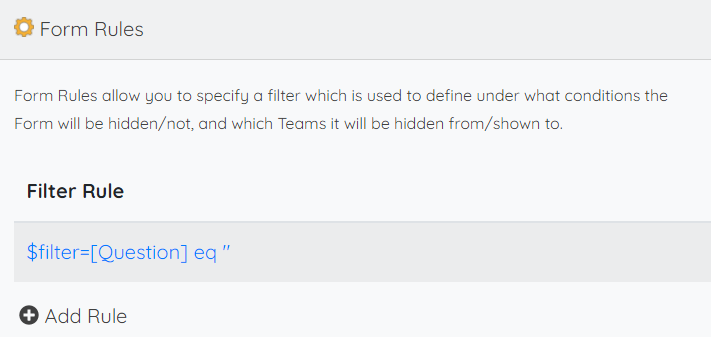
Lastly, add form rules for the other templates to hide if there is a value for the field Question which will be true for the new records by using the following expression.
$filter=[Question] eq ''
Also, make sure that Question is a required field to prevent the record from being created. As users cannot change the Question field as it is hidden in the Do Not Create template.
It is also possible to go one step further with the form rules, by selecting a team for the Hidden for Teams section in the form rules for the templates to only show or hide for certain teams. In this case you may want to select certain teams such as the clients or customers to hide the previous existing templates as before, but to leave out the admins which would allow the admins to create new records.

If all goes well it should look like the following when trying to create additional records.

Please sign in to leave a comment.
Comments
0 comments