Creating a Hidden Report for Exports

This post will be going into how to create a hidden report for a templated word export, this can be used for several different situations, wanting to export a similar report to the one you have already for a client but don't want certain fields to be exposed, it can also be used to make the report easier to read using a concatenated field, or it can just be for an alternative report that you want in the export but not seen in the reports.
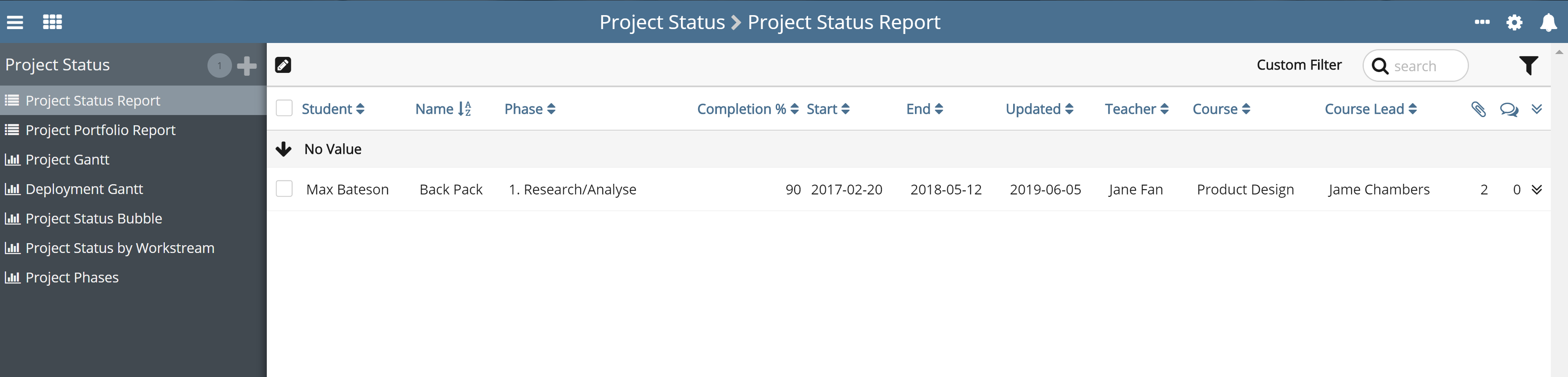
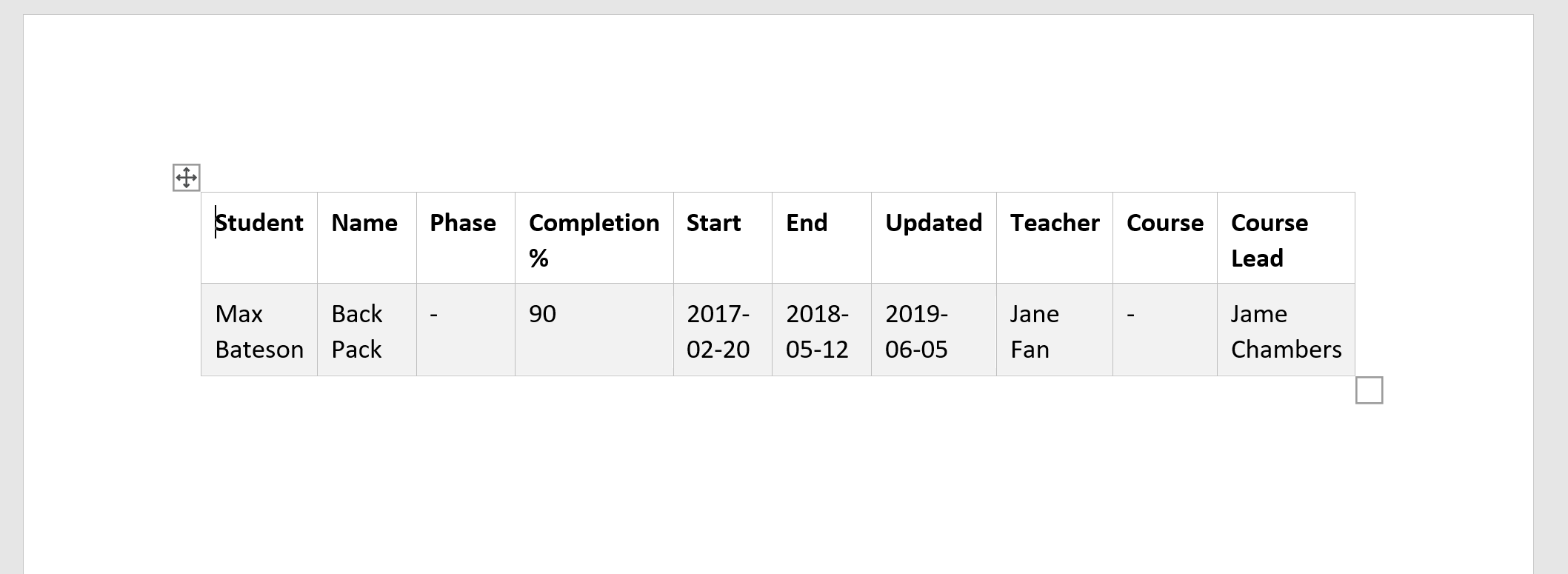
My example below is of a Projects Report, this has ten fields on it and they all fit nicely. But if you look at the word export underneath they are squished and drop to two rows along with the column headers. To fix this and make it an aesthetically pleasing export I will create a hidden one that still holds the vital information but becomes a lot easier to read.
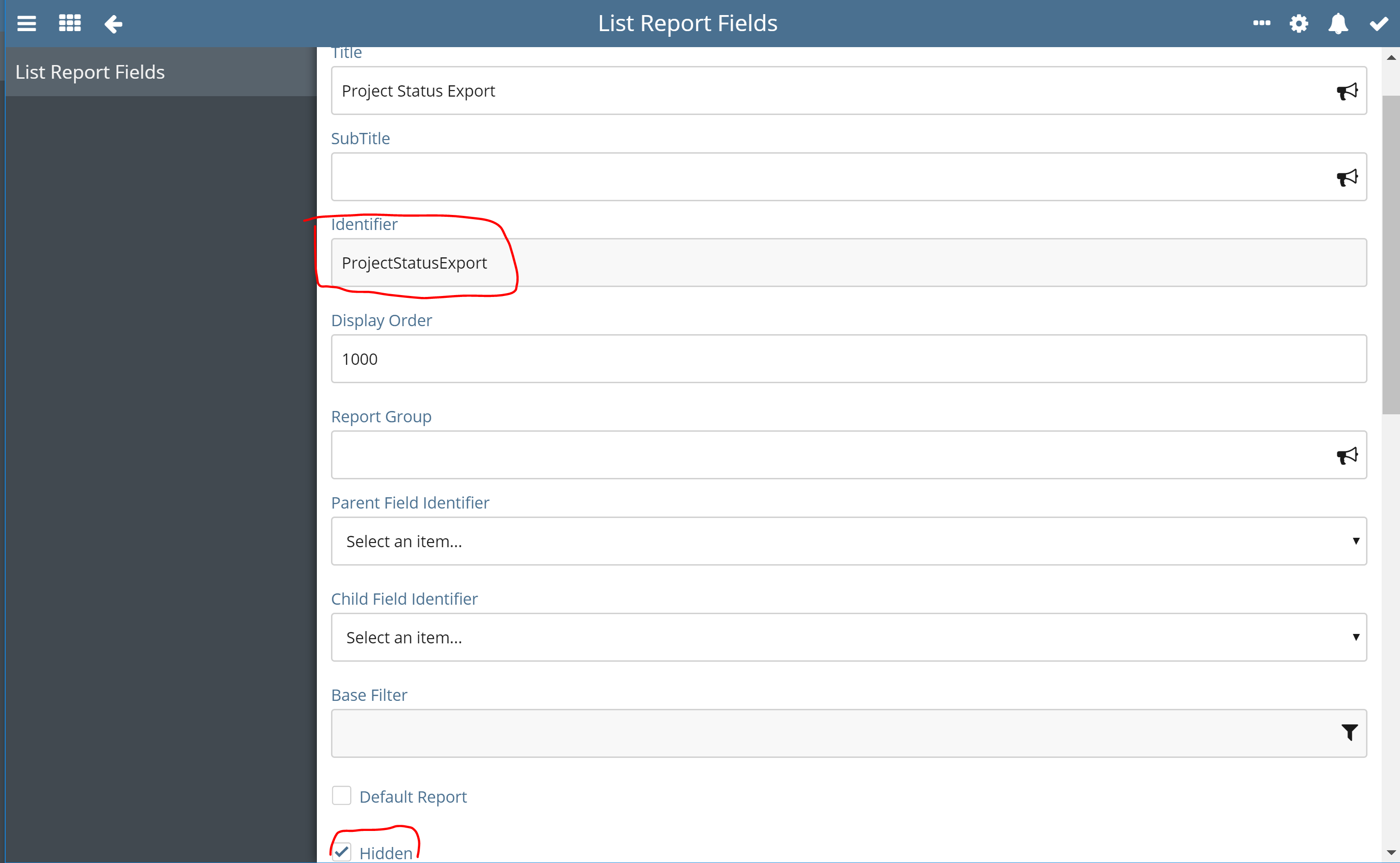
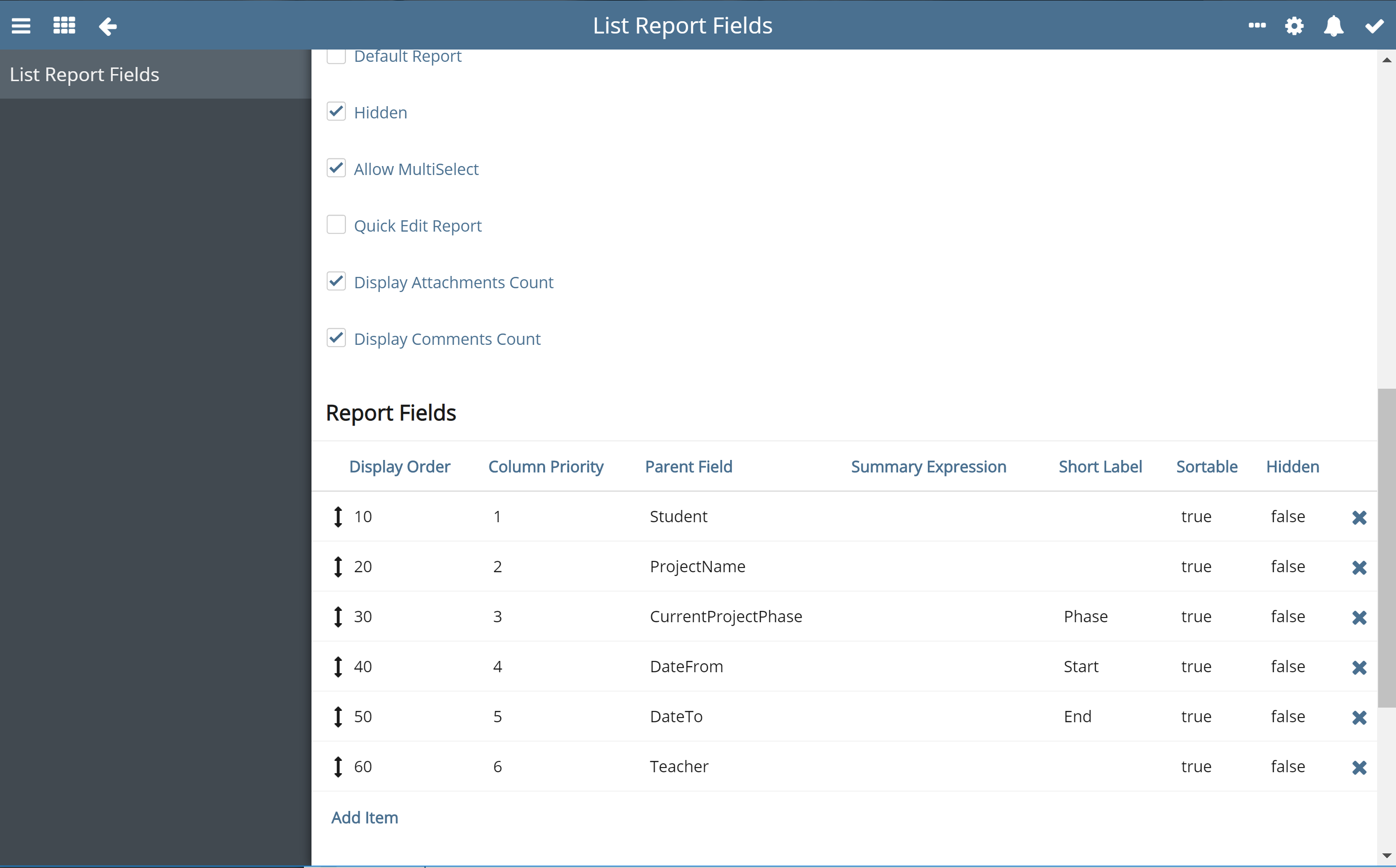
Below I have begun to build my hidden export, I have given it a similar name to the original report but with export at the end, this makes it easier to find when looking for it and adding it to a word export template. I have ticked the hidden option and stripped down some of the fields to the one I think are the most important.
Tip - if the field labels are long then it takes up more space in the export, try using the short label to cut them down more leaving more space
I have then updated the export template to pull through the new report. Once I added the new template in appstudio I exported it to test it, I think it comes out a lot nicer without and squished columns and still produces the valuable information that's needed


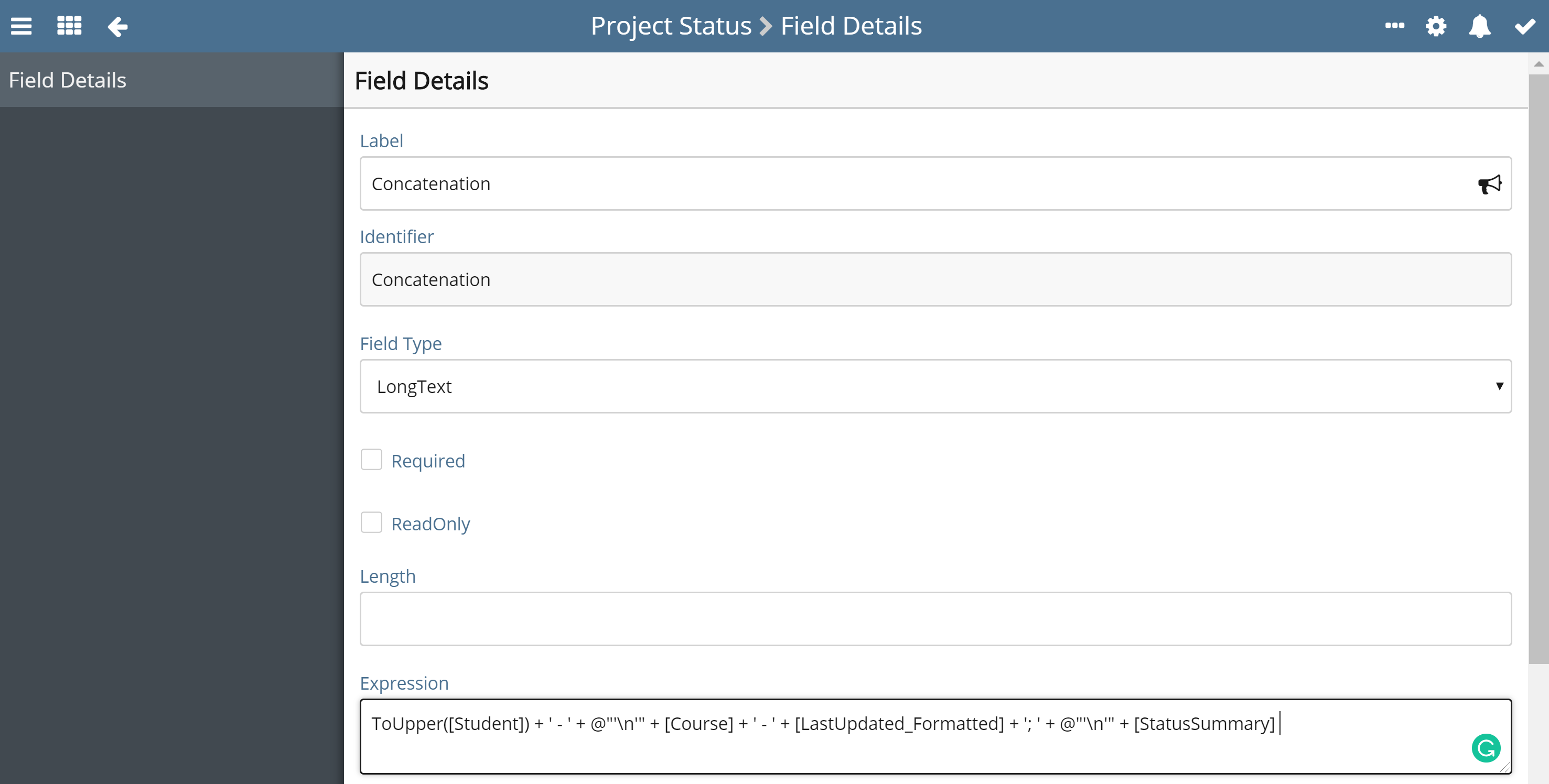
Below I have started another option of using a concatenation field in the report, this is a report that pulls in the student last update and current status. I have used a field expression that concatenates certain fields and formats in a much more readable display compared to columns. as this report only used one field it stretches across the whole page.

I hope this helps you in creating a nice report, for more export report tips go to this post - https://support.softools.net/hc/en-gb/community/posts/360042907891-Good-Example-of-a-Project-Report
For the support article on making word export go here -
here is a link on how to create a word export - https://support.softools.net/hc/en-gb/articles/214886406-How-do-I-create-a-Template-Word-Report-
Please sign in to leave a comment.
Comments
0 comments