Using A Priority Field for Reports/Exports

This post will show you the benefits of using a priority field to create an easy to read report/export. These tend to be needed when you have high amounts of child records that you're exporting through a parent export. This is also useful when you want to export certain records and don't want to have to change the filter on an export every time you want to export a different group of records and need a way to filter to the most important/relevant ones that need to be seen in your parent export
In my example, I will be using an image list field has my priority field, this is because when something is a priority it needs to stand out and easy to edit, you can't get this as much from a bit field or select list which are also viable options, a RAG field would also be a good choice.
The first step is to create your imagelist field, my example below has two options of a grey tick and a green tick, the green tick representing the record being a priority.
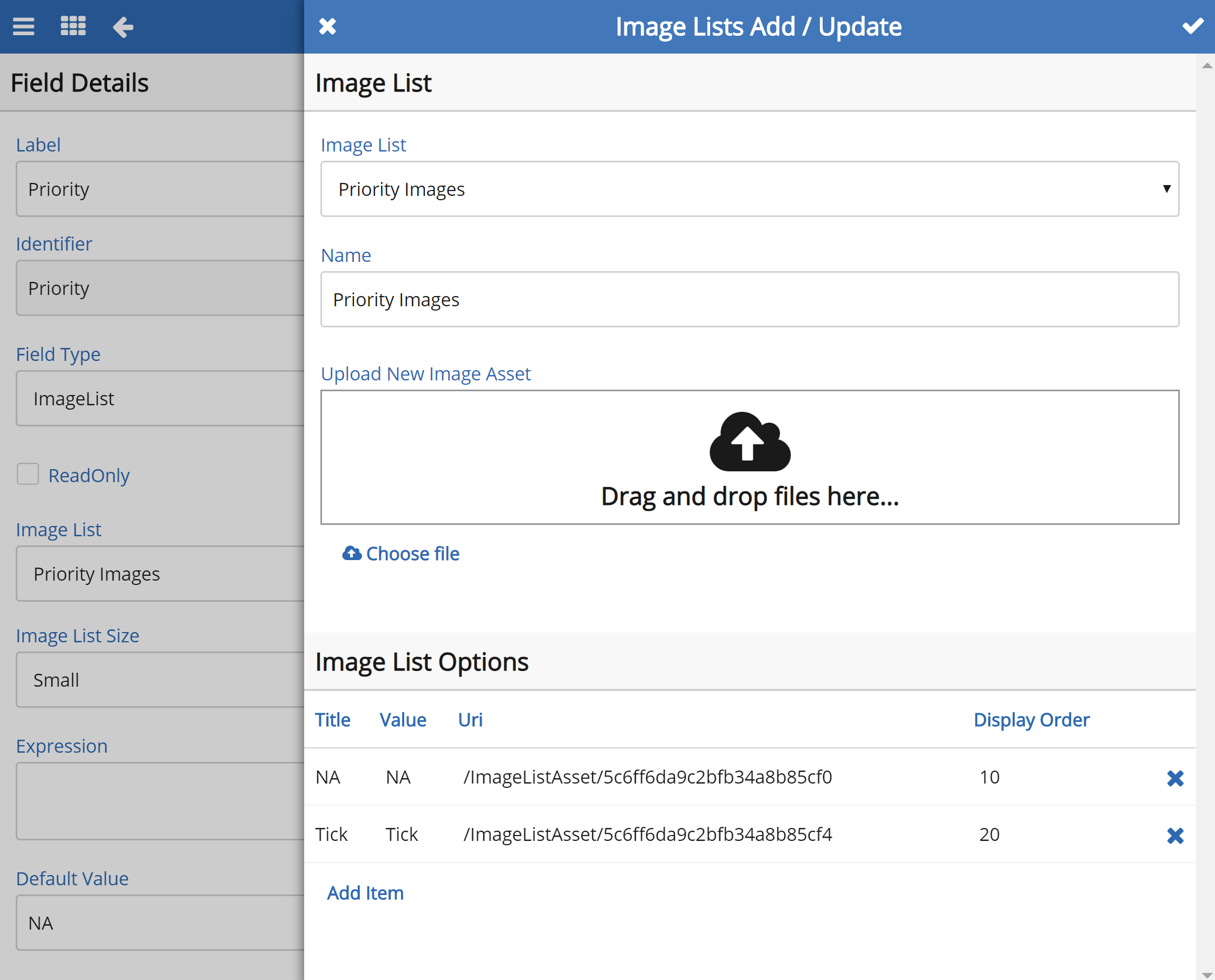
Tip - Make sure the field has a default value of the non-priority option
Once this is created you can add it to your template and to your reports, adding it to the report is the best way to use this field because instead of having to go into each record, selecting the tick, saving it and then going back to repeat the process you can just use the inline edit option to tick the records you want.

Next step is to create your filter for the Priority field, this is done in the custom filter screen, once you find your field make sure you enter the value of the imagelist option for the priority field in the contains field.
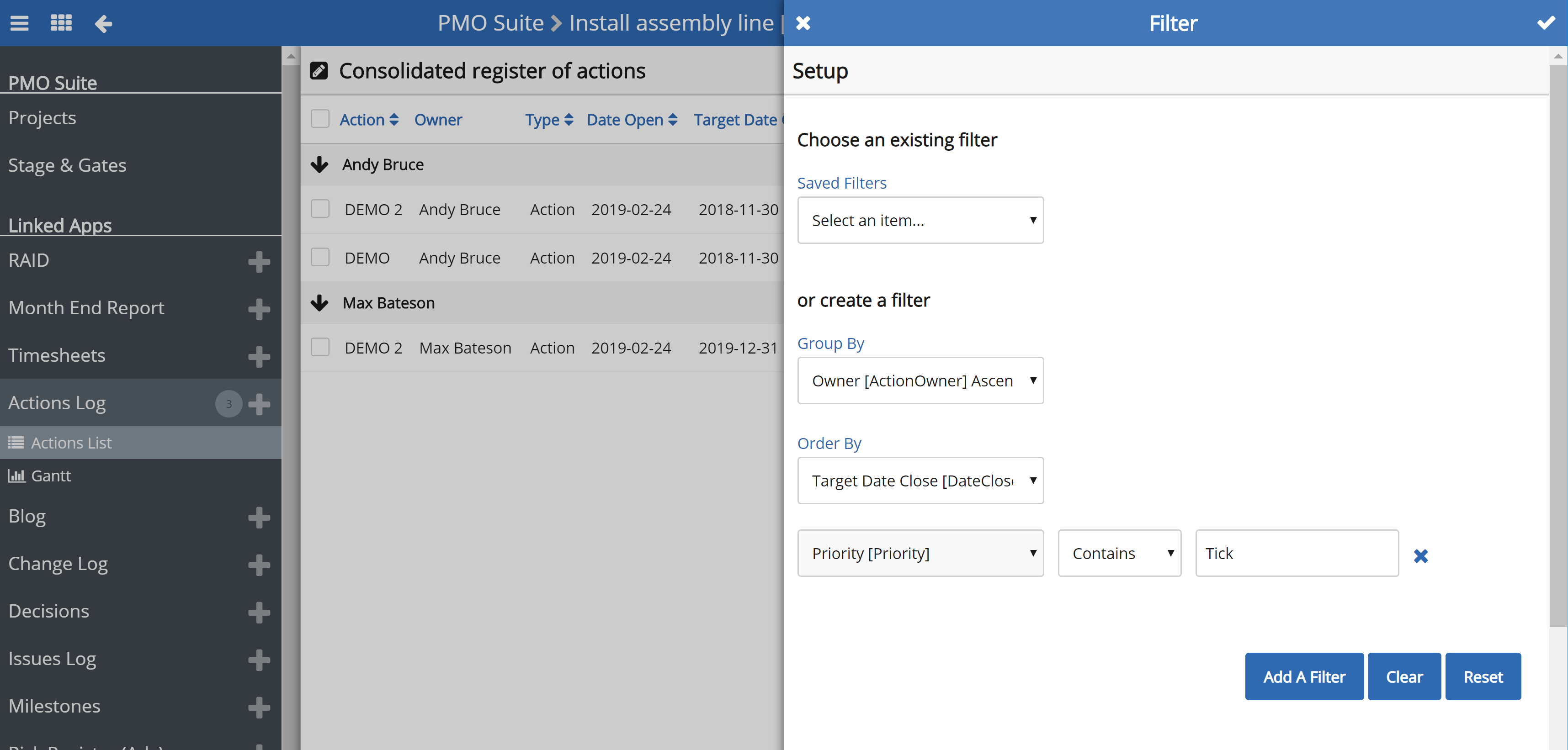
Once this is created you can start to create your word export for priority items, this is referenced in the 'Good Example of a Project Report' post - https://support.softools.net/hc/en-gb/community/posts/360042907891-Good-Example-of-a-Project-Report .
I have shown an example of what this export would look like below. You need the app identifier (Highlight Yellow), the report identifier (Highlight Green) and the key part is to apply the filter from the report into the export (Highlight Blue), here is a link on how to create a word export - https://support.softools.net/hc/en-gb/articles/214886406-How-do-I-create-a-Template-Word-Report-


Please sign in to leave a comment.
Comments
0 comments