
AREA - Configuration Article
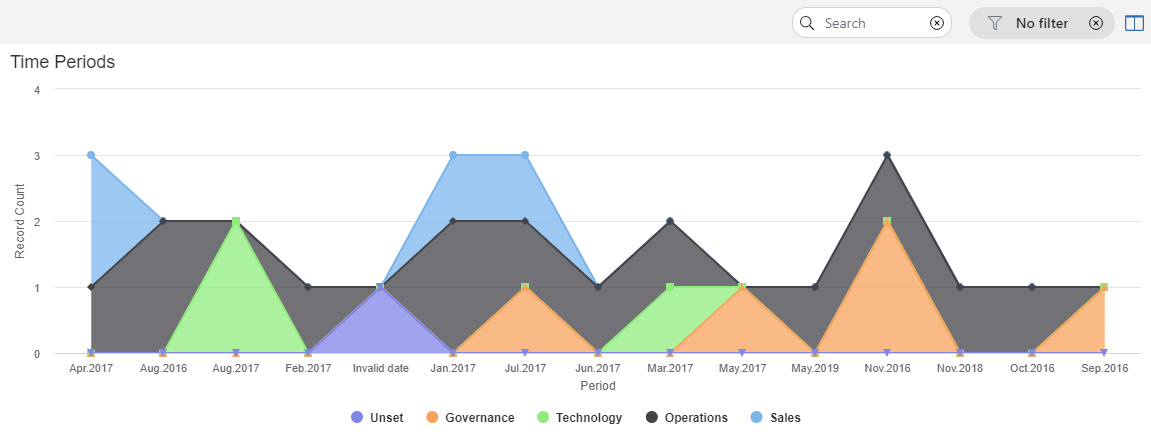
AREASPLIINE - Configuration Article
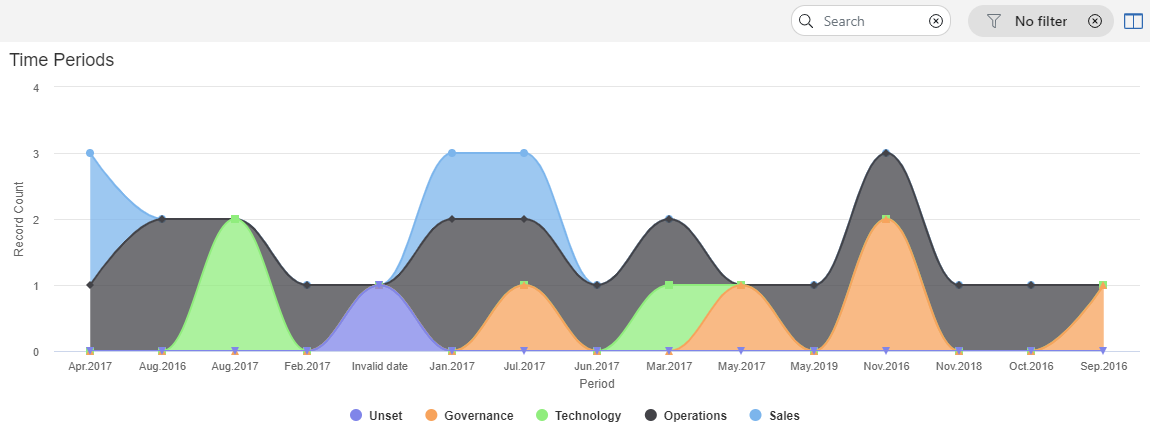
BAR - Configuration Article
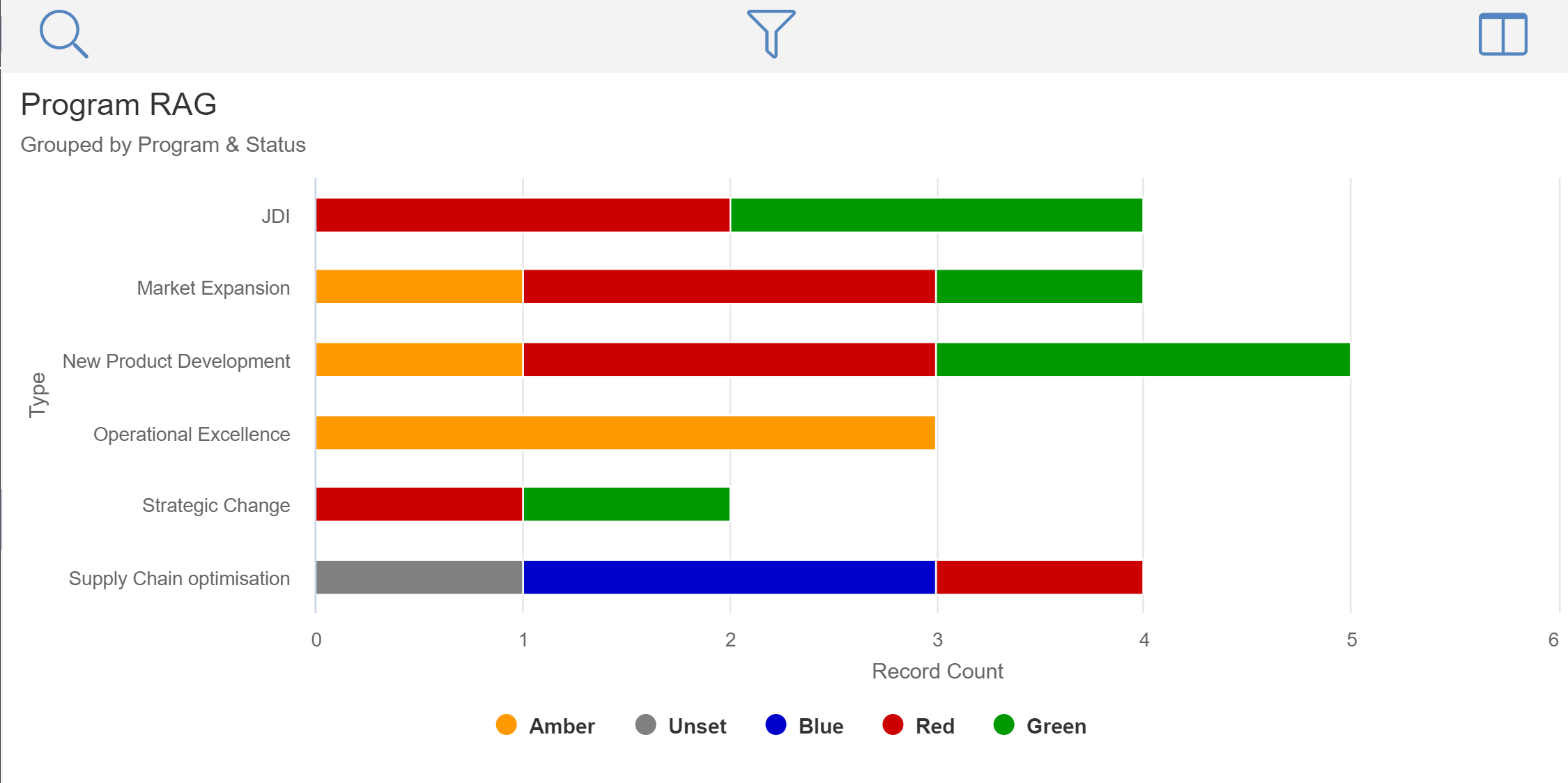
BUBBLE - Configuration Article
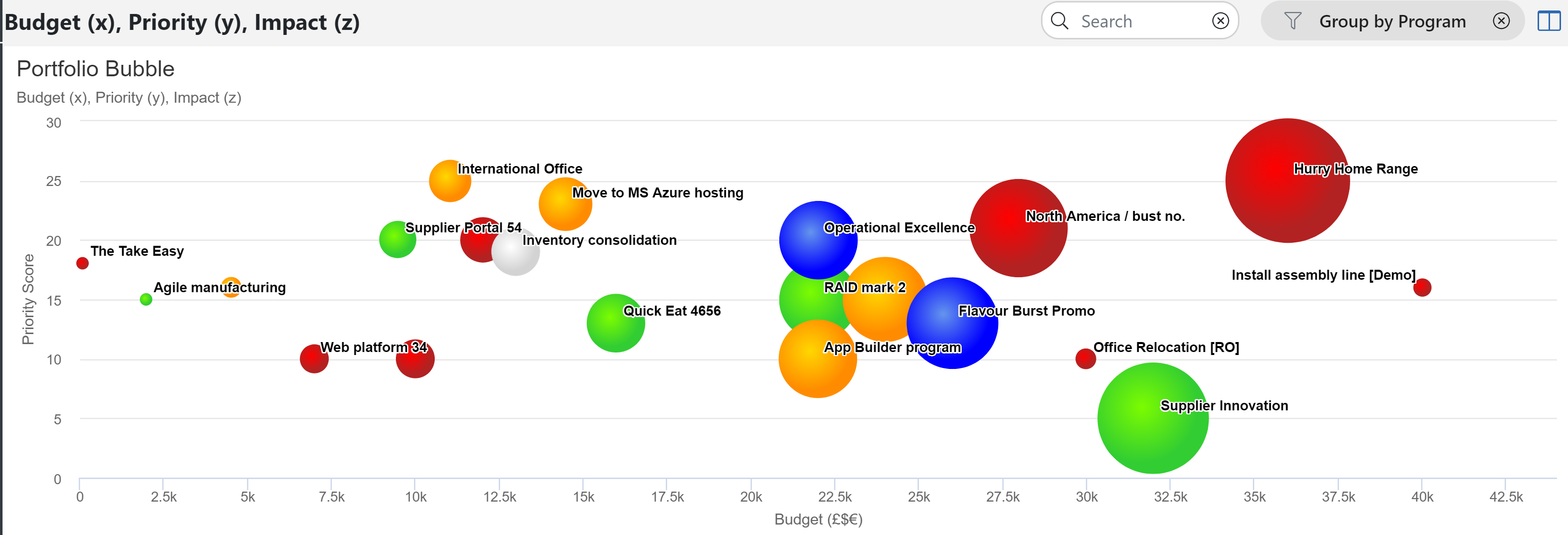
CARD - Configuration Article
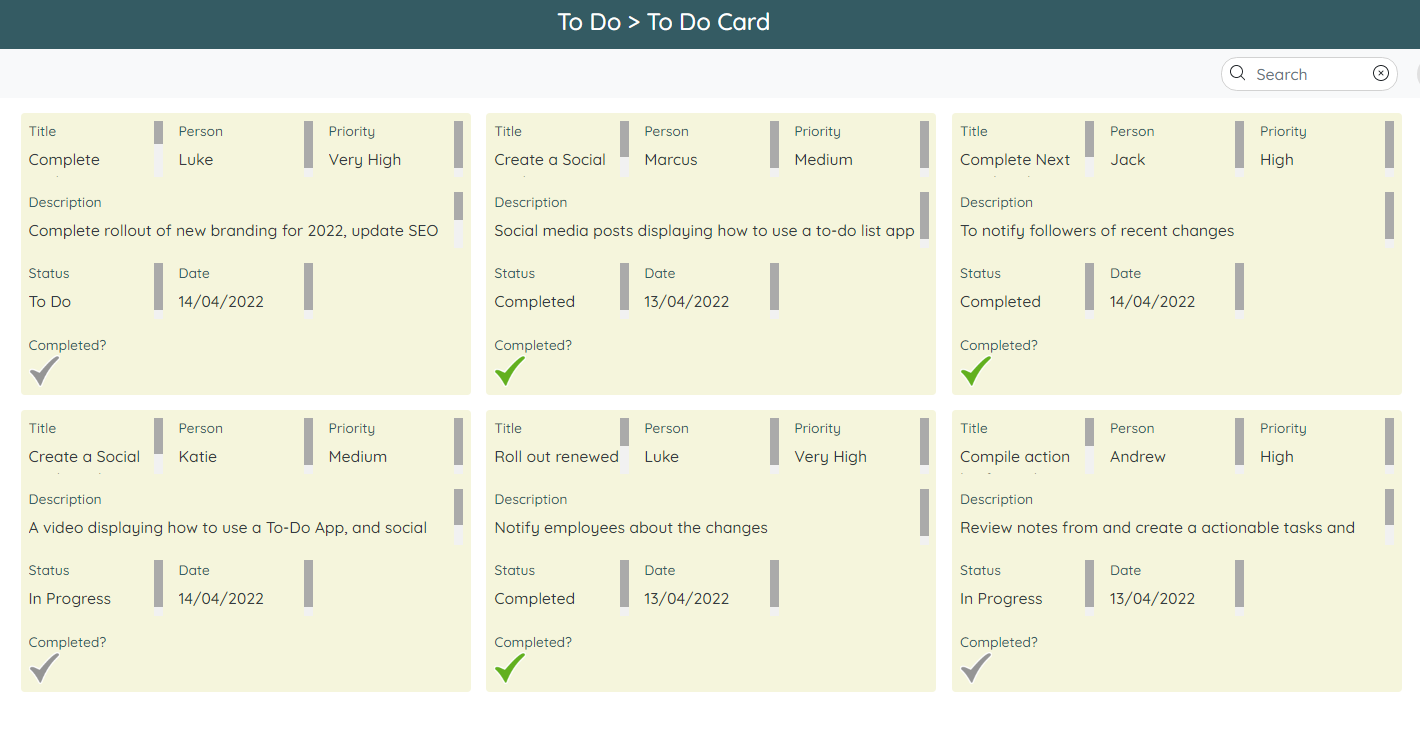
Card Reports a new style of visualisation of record data that are in the style of cards on a page, where a single record is represented by a "card" and multiple cards are shown on the report page.
They have the benefit of showing summary information, and can be grouped into rows and columns
One of the biggest benefit is the ability to drag and drop cards into different columns / rows which directly changes the data in the record to match the destination point
For example, a tasks app might have a card report shown in columns where the column represents the current status. You could move a card from the "In Progress" column, to the "Done" column which would change the status field within the record, without the need to edit the record directly
Another example might be columns to represent people where the card report was used to assign work.
COLUMN - Configuration Article
 CUMULATIVEMATRIX - Configuration Article
GAUGE - Configuration Article
GANTT - Configuration Article
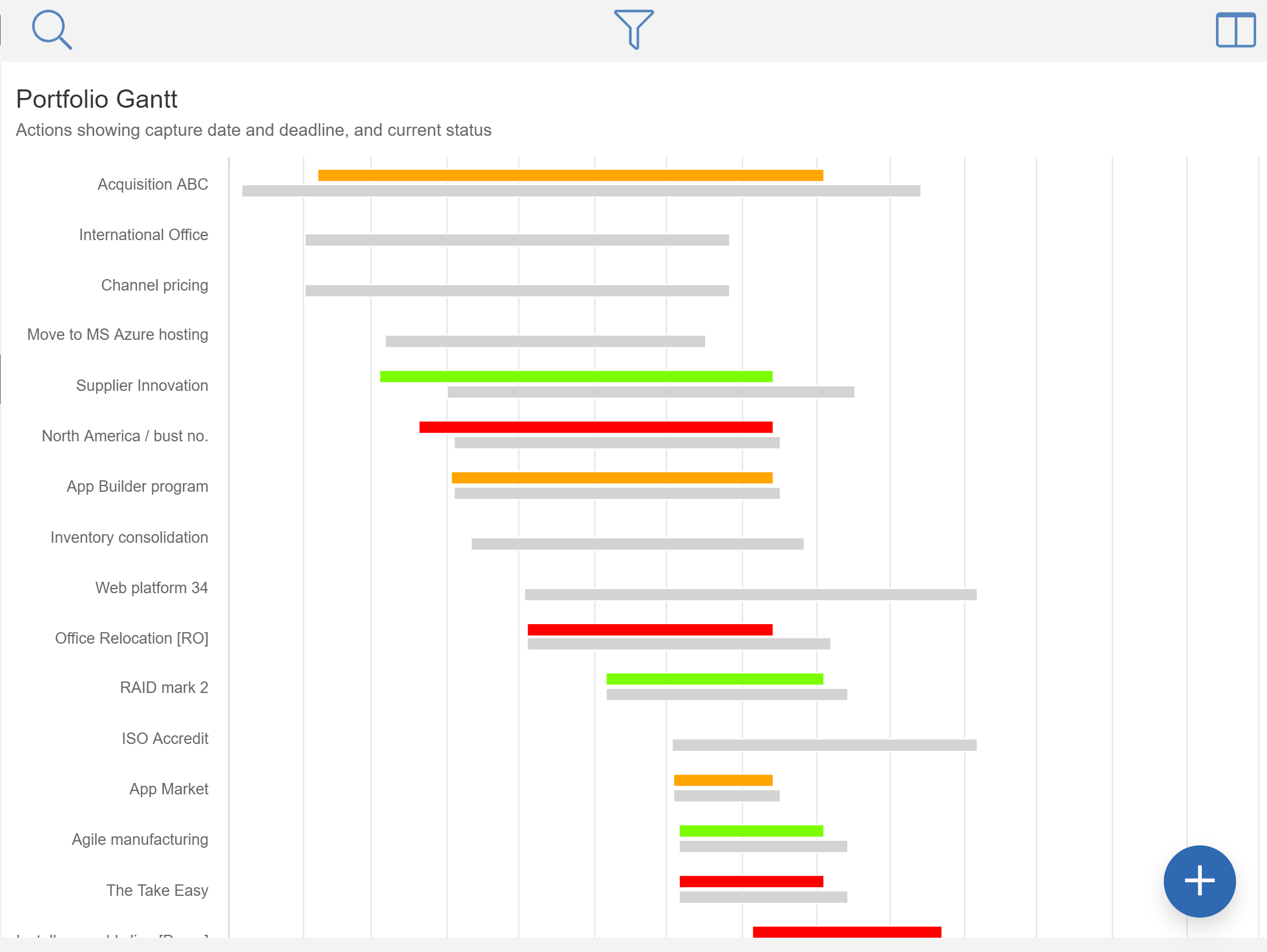
GOOGLEMAP - Configuration Article
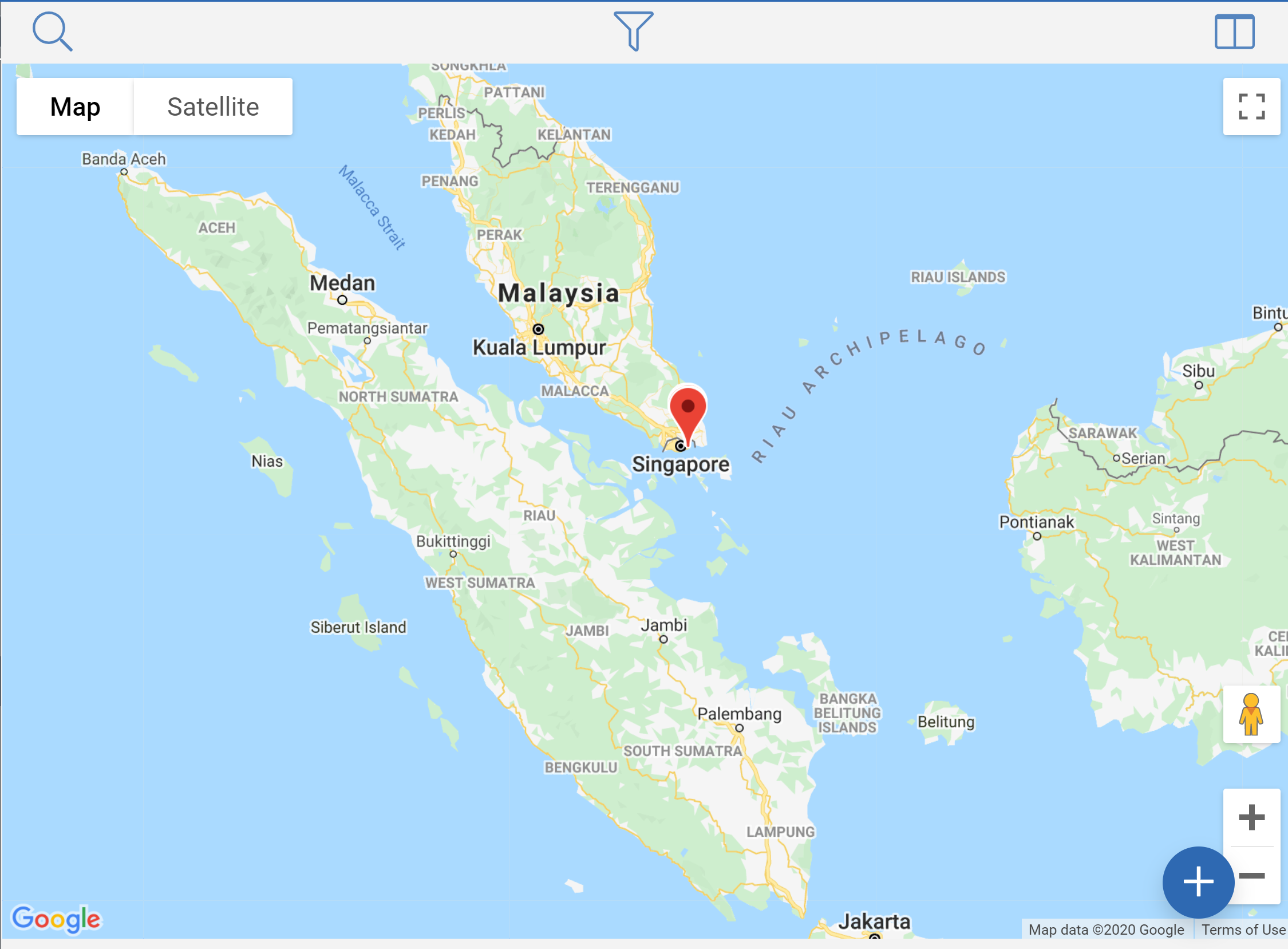
LINE - Configuration Article
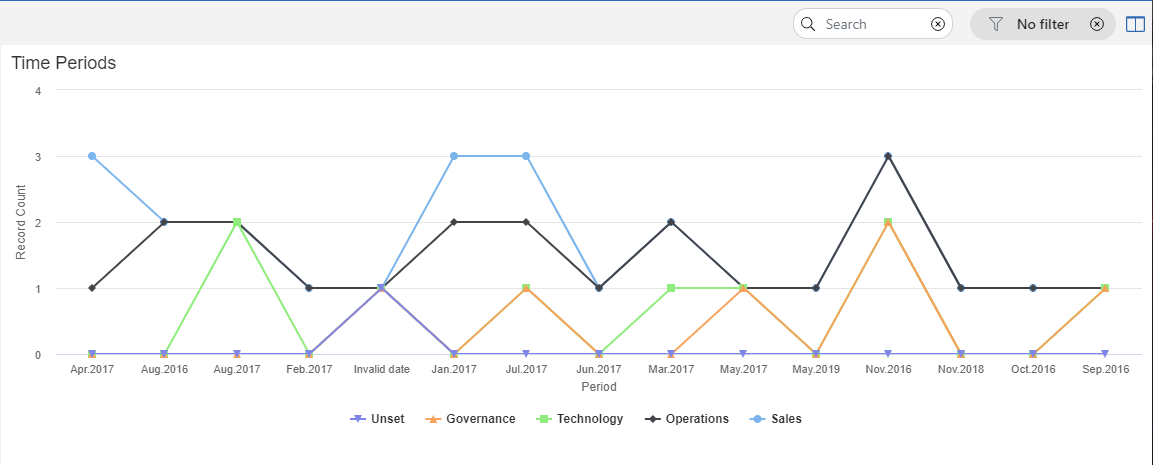
MAP - Configuration Article
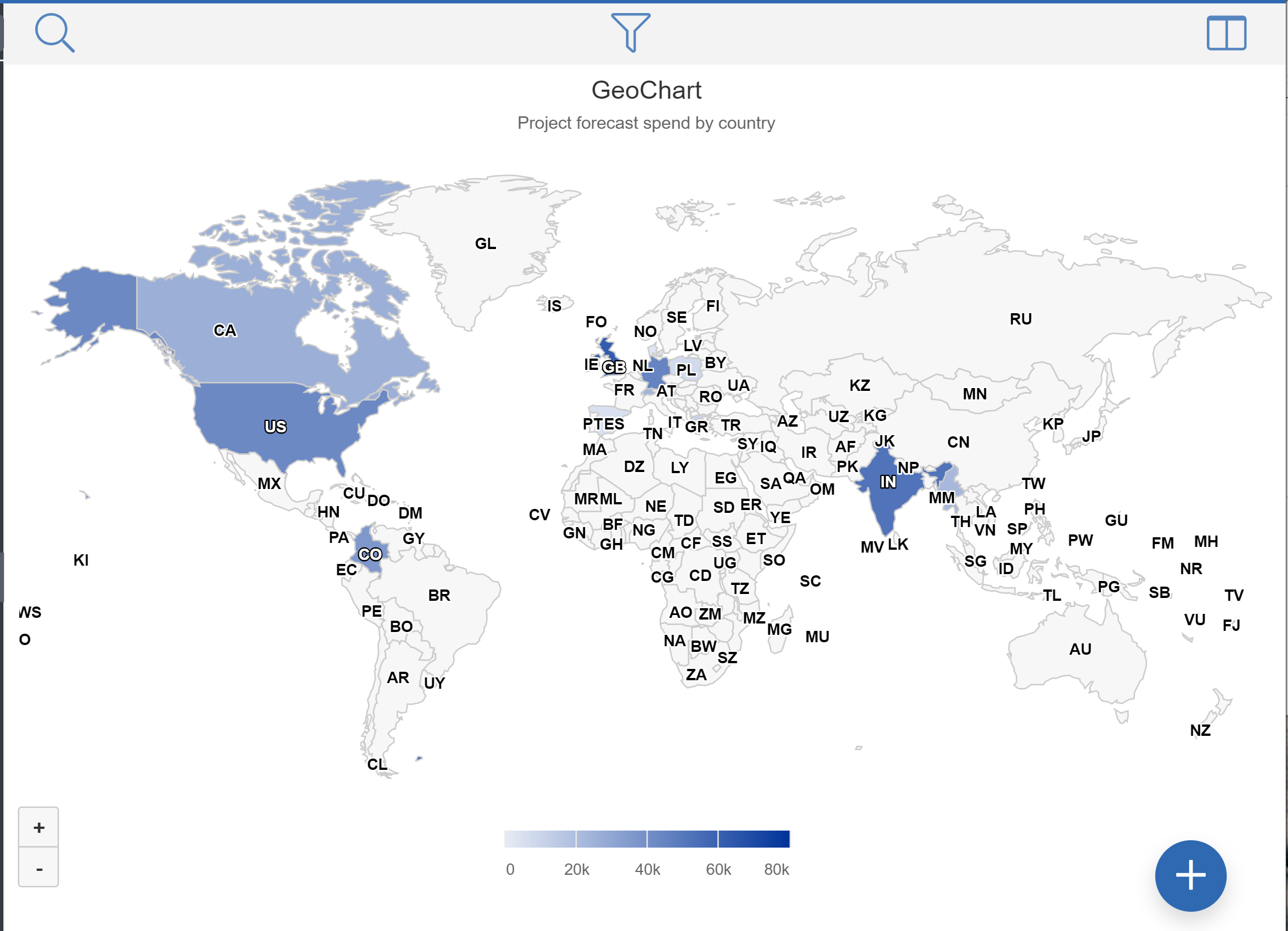
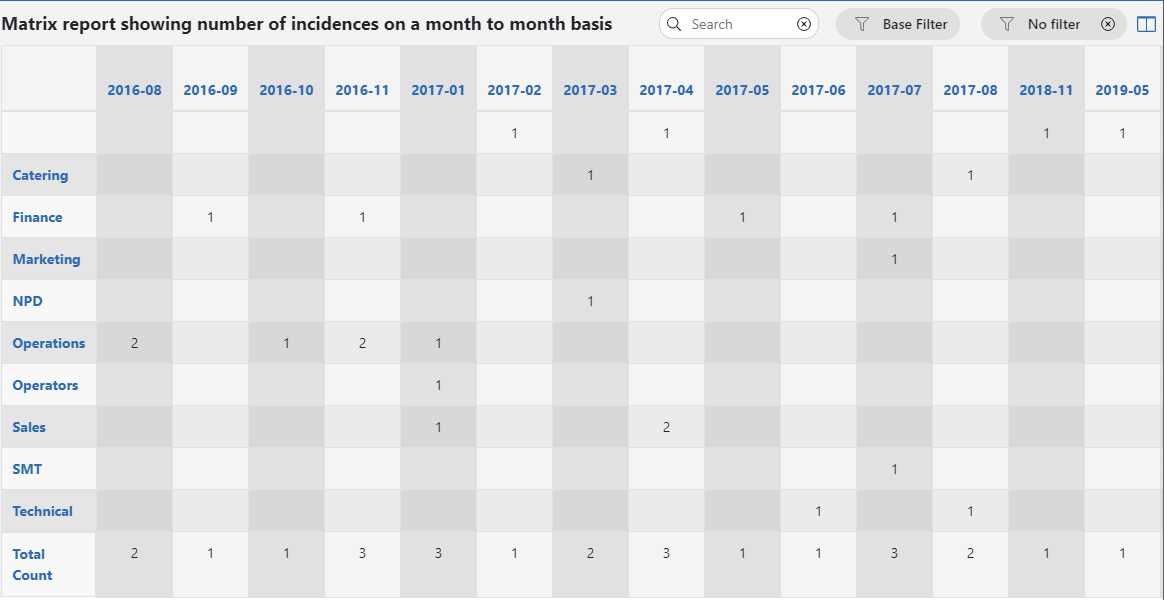
MATRIX - Configuration Article
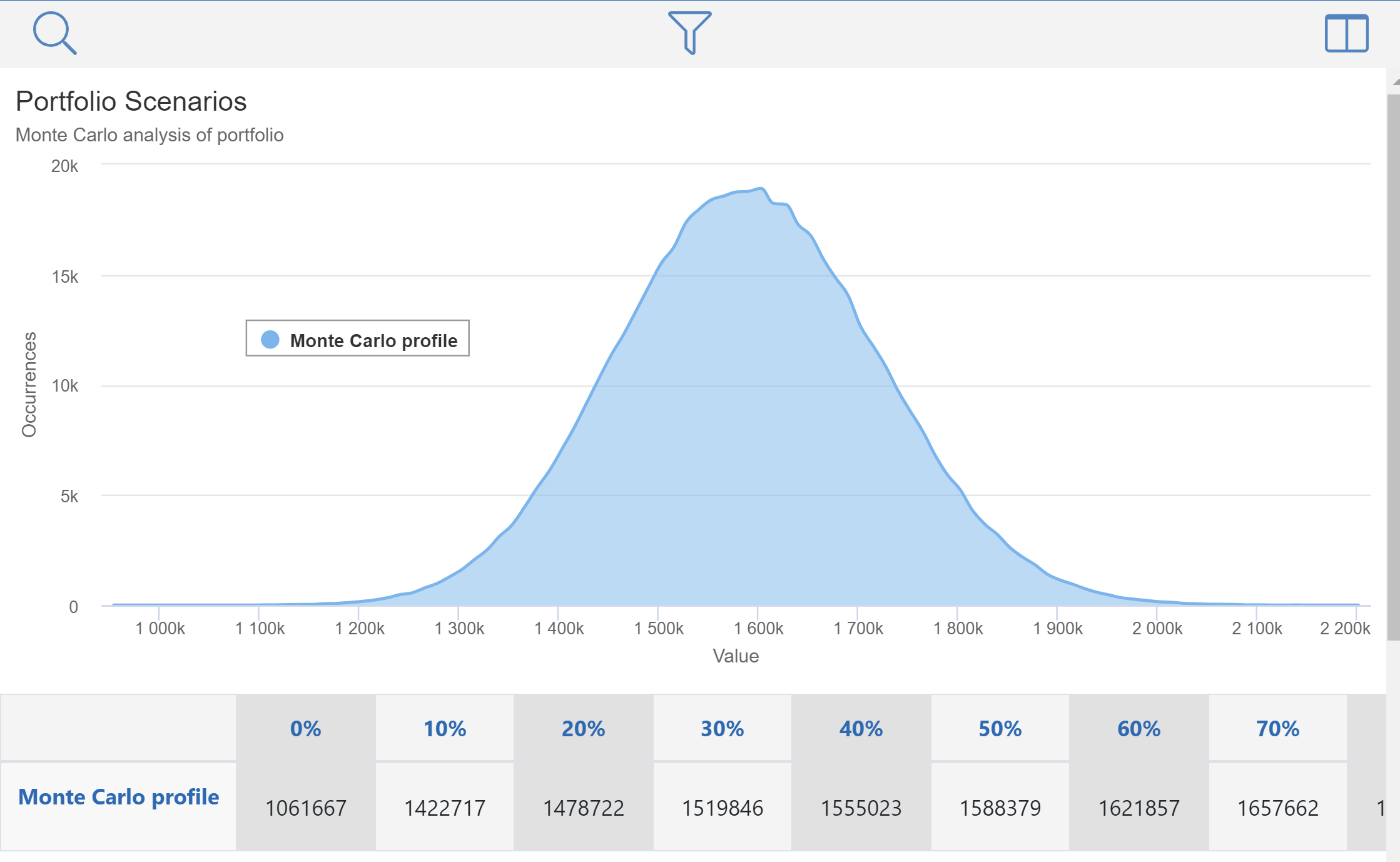
MONTECARLO - Configuration Article
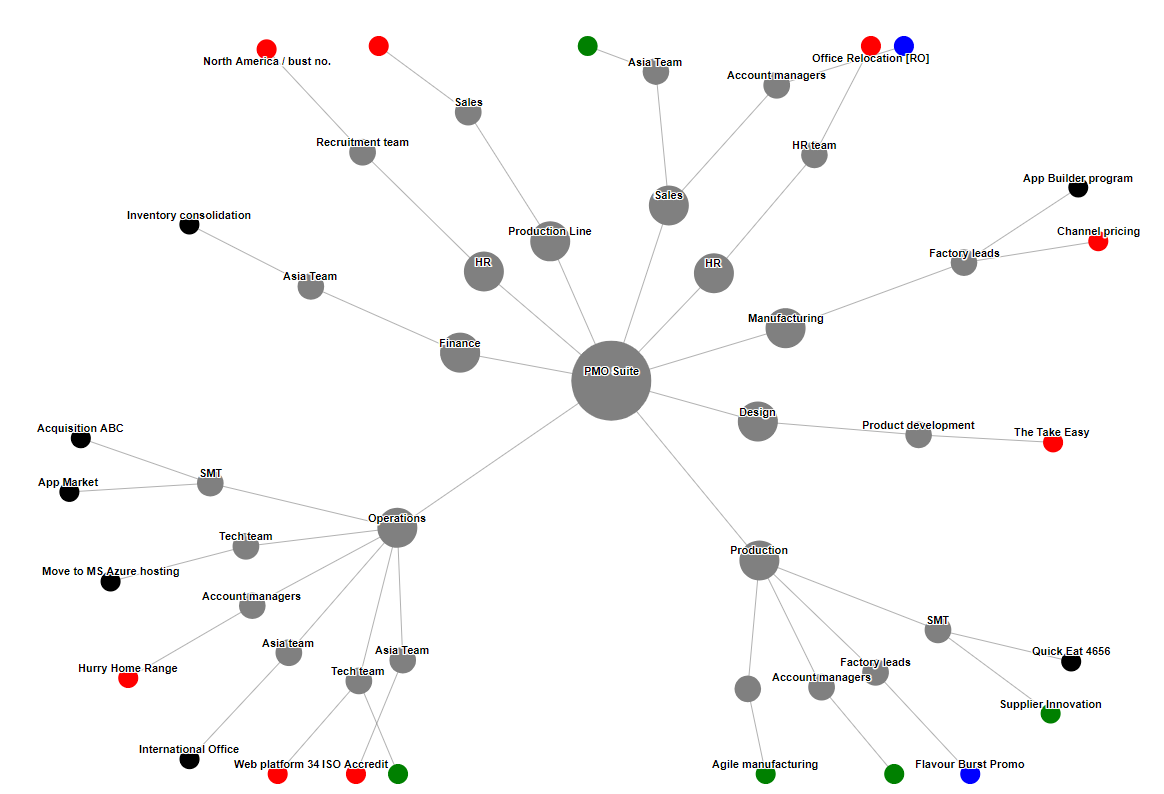
NETWORK - Configuration Article
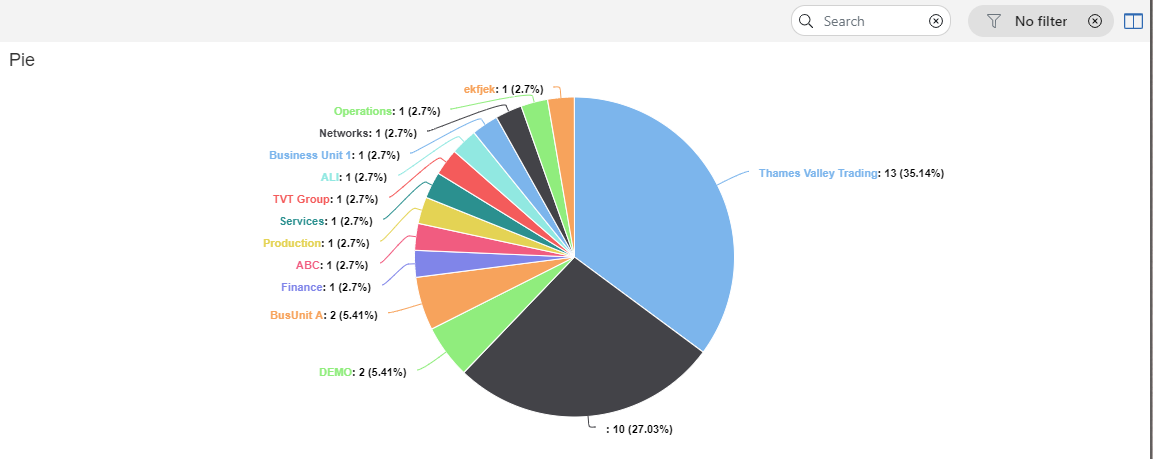
PIE - Configuration Article
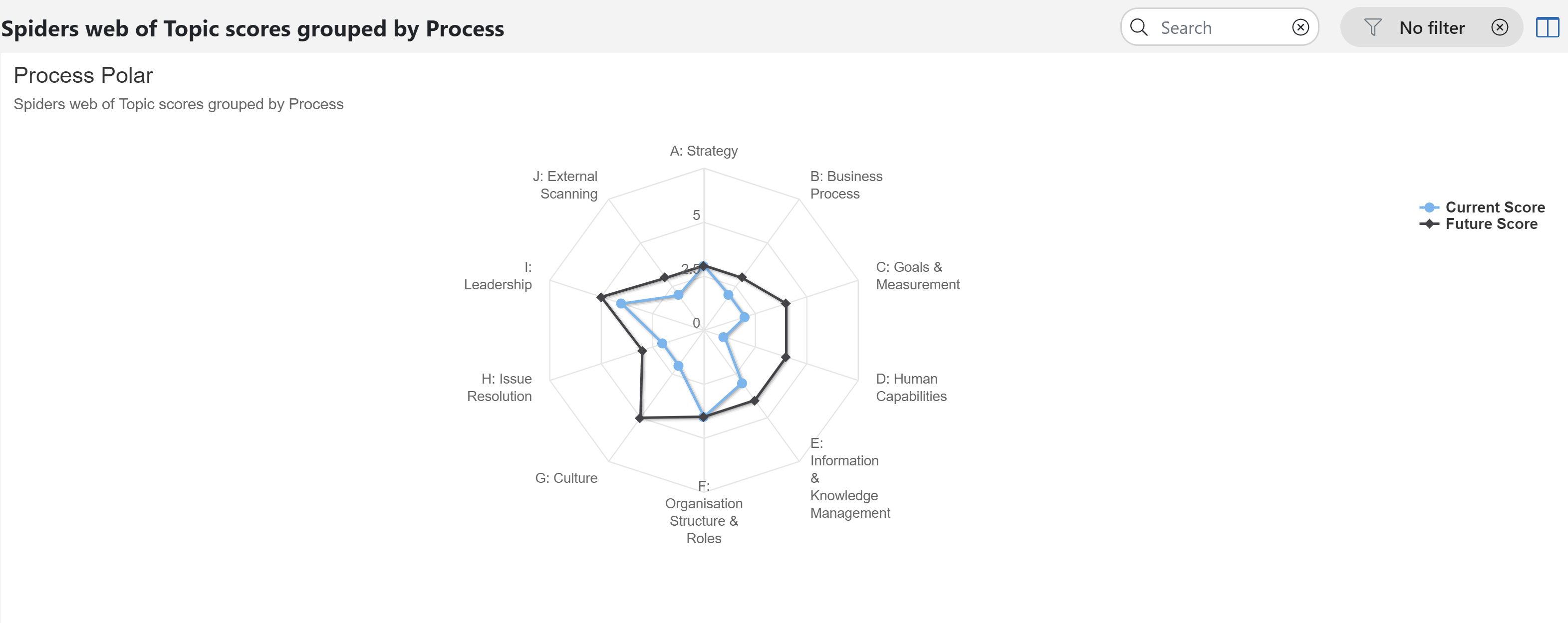
POLAR - Configuration Article
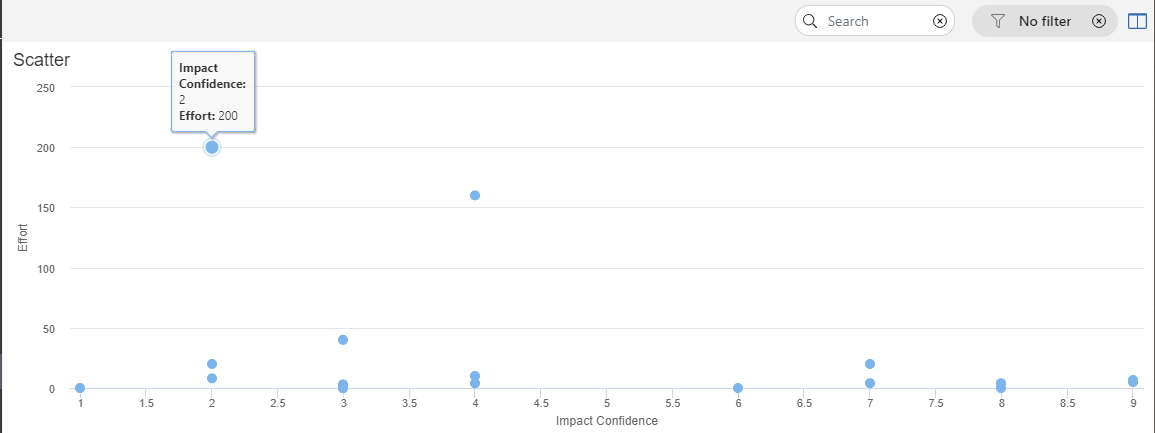
SCATTER - Configuration Article
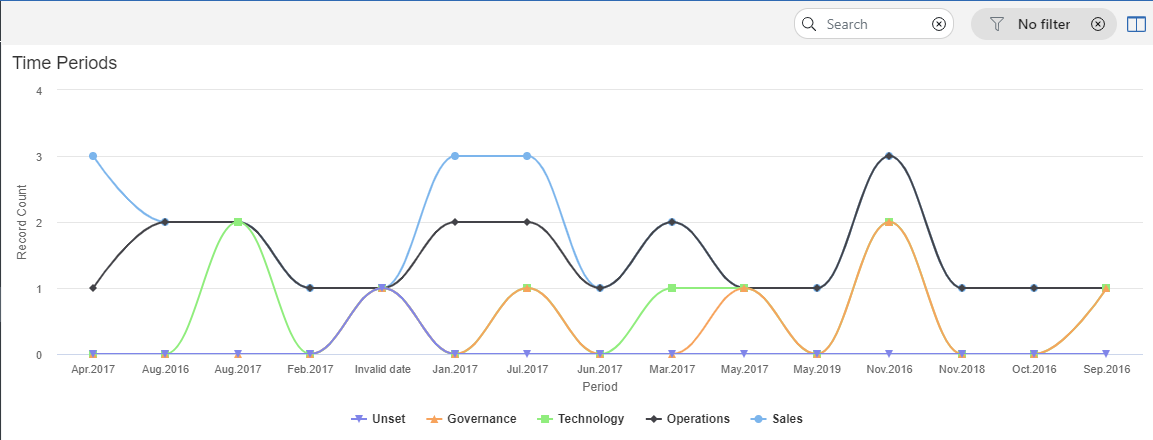
SPLINE - Configuration Article
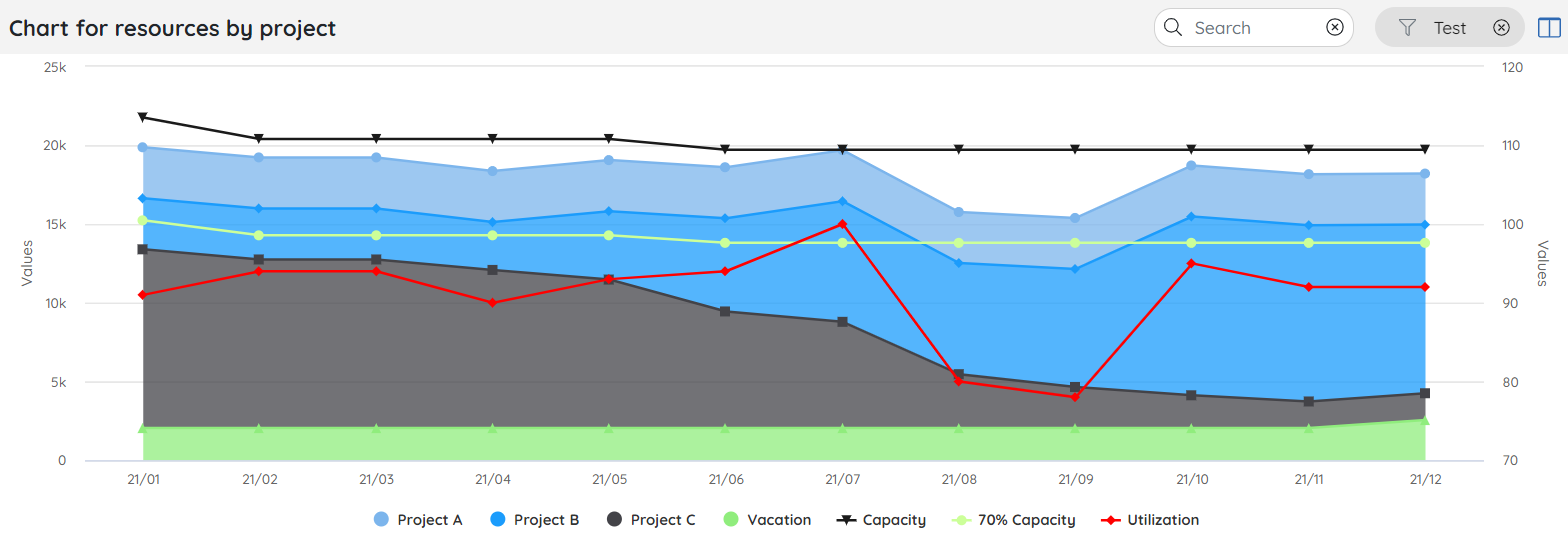
SUMMARY SERIES - Configuration Article
Comments
0 comments
Please sign in to leave a comment.